环路给水系统的设计
跳转到导航
跳转到搜索
| 产品 | InstalSystem 5 |
| 文章类型 | 设计应用 |
| 版本的最新内容 | GOLD Rev. 15.3 |
课程内容
本课程以一个独栋带地下室的二层别墅为例,介绍了如何开展环路给水系统的设计。
模块和软件的配置n
- InstalSystem 5 需带有如下模块:
- 给水系统
- 给水系统计算功能扩展
- 建议:选择带有U形末端连接件的给水系统管道目录,保证系统内没有死水区。
| 项目文件
|
Single-family building water installation initial state, isproj Water ring installation in a single-family building , isproj |
| 设计时使用 | InstalSystem 5 Rev. 17.0 |
| 所需模块 | InstalSystem basis Tap water systems Tap water extensions |
| 项目范围 | Instalacje wodociągowe |
| 所用的产品目录 |
Steel pipes, medium, DIN 2440 |
| 建筑类型 | 住宅楼 带有地下室 三层 |
| 建筑结构 | Underlay - all plans, dwg |
| 图纸范围 | 平面图 |
| 设计者 | 100px www.instalsoft.com |
| 法律免责声明 | 可以复制整个或部分文件 |
| 计算结果 | Tap water installation ring full printout, pdf Tap water installation ring bill components, pdf |
| 设计图纸 | 所有楼层, dwg 地下室, pdf 一层, pdf 阁楼, pdf |
初始状态
初始状态的文件位于项目表中,其中包含建筑模型和卫浴设备的布置,需要在各楼层上完成环路安装的设计。
更多信息,见: 给水系统的设计
设计步骤
打开软件并打开项目文件
- 打开程序
- 载入项目文件 - Single-family building water installation initial state, isproj.
系统编辑
- 选择楼层一层。
- 绘制热水和冷水给水管道,以便在房间 1.5内创建环路连接。
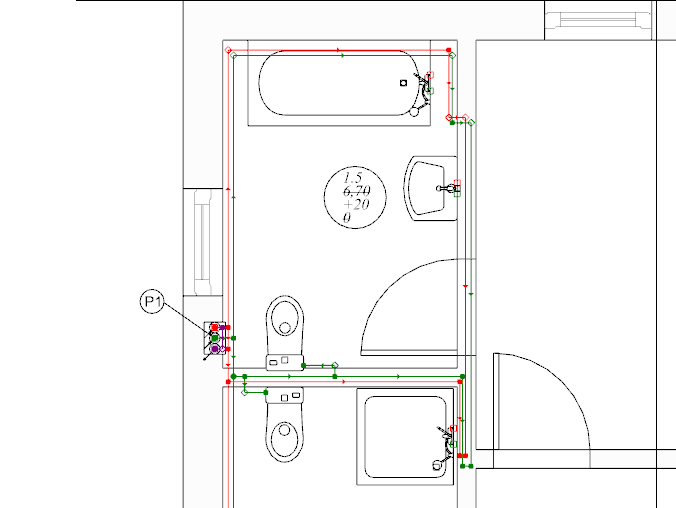
1.创建环路连接 - 用鼠标选择带有末端装置的区域,然后选择自动用活水三通连接件连接末端用水点 。
- 如果需要,修改管道的坐标以避开门。要执行此操作,可在通过门洞口的给水管道上插入分割点,然后在管道的参数表中修改标高。
给定的坐标是否正确,可在3D视图 窗口中进行检查。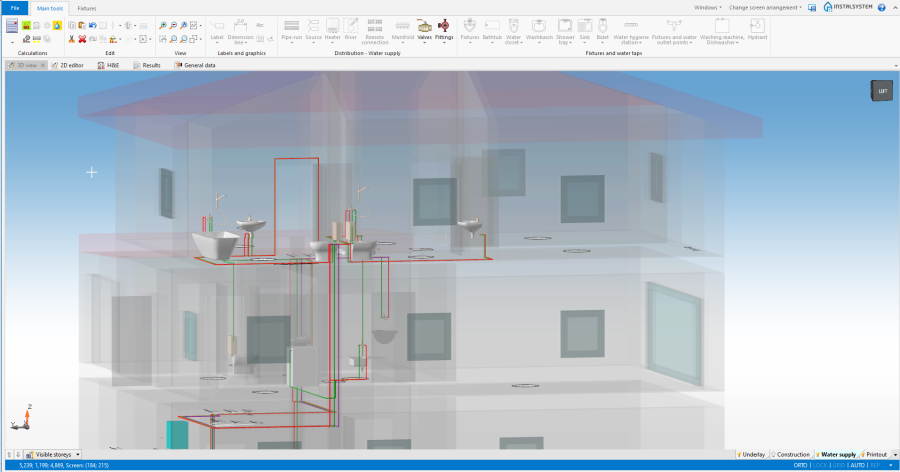
2. Omitting the door opening
- 确认楼层上的环路已正确闭合。
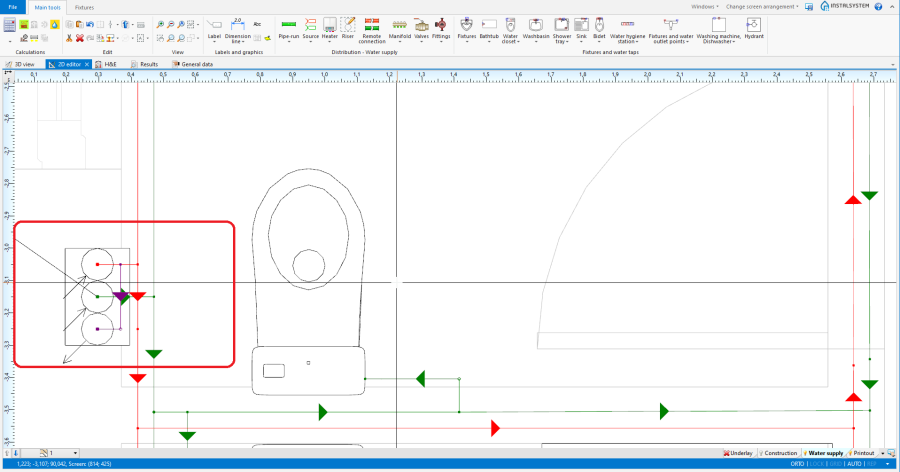
3. 一层环路连接


Verification of the correctness of installation structure
- Verify correctness of the installation structure using the 检查连接 function (shortcut: Shift + F2).
- Verify correctness of the installation structure and find collisions using 3D视图.
更多信息,见: Verification of the correctness of installation structure
Calculations and diagnostics
- Perform 给水系统计算 by clicking on
 located in the 计算 section of the Main tools toolbar.
 - Verify calculation results.


更多信息,见: Calculations and diagnostics