缓冲罐

来自HelpSystem
跳转到导航 跳转到搜索


产品 InstalSystem 5
文章类型 功能和工具
版本的最新内容 2023-01-17
{{{version2}}}
{{{version3}}}
{{{version4}}}


说明

本文介绍了供热系统计算供冷系统计算 的基本部件 - 缓冲水箱 的使用方法。在本程序中,它有两个一次侧或两个二次侧的连接点(供水口和回水口)。

在程序中的位置

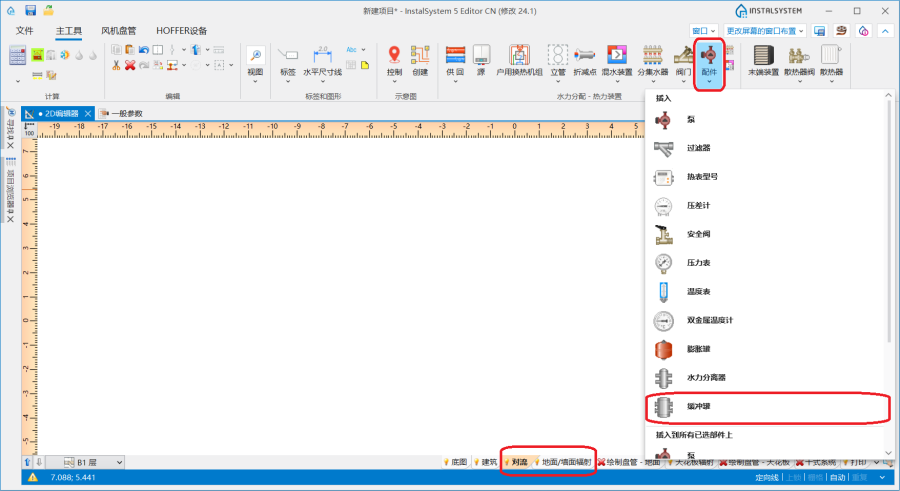
缓冲水箱 图标可在2D 编辑器 窗口,在对流地面/墙面辐射 编辑器中的主工具 工具栏上可见。

1. 插入缓冲罐


应用举例

布置缓冲罐

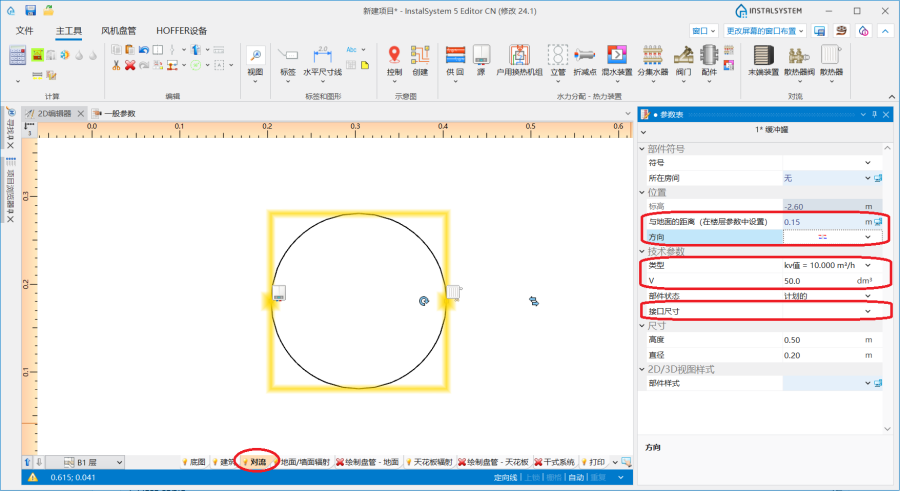
当在平面图中布置完缓冲水箱 后,可在参数表 窗口中输入或更改如下的参数:

  • 与地面的距离(在楼层参数中设置)
  • 选自某一目录中的类型
  • 对于不是来自目录中的配件 ,需选择方向接口尺寸 和输入水的容积 以及外形尺寸。

注意布置的朝向 - 该部件有"热源侧" 和"末端侧"

2. 参数表.


Connecting the component

  1. After all system components have been placed on the drawing, the 缓冲水箱 should be connected to the source on one side (primary circuit) and to the system on the other side (secondary circuit). Connection to the 缓冲水箱 is made by using and pipelines.
  2. A must be installed on the secondary side.

Additional information

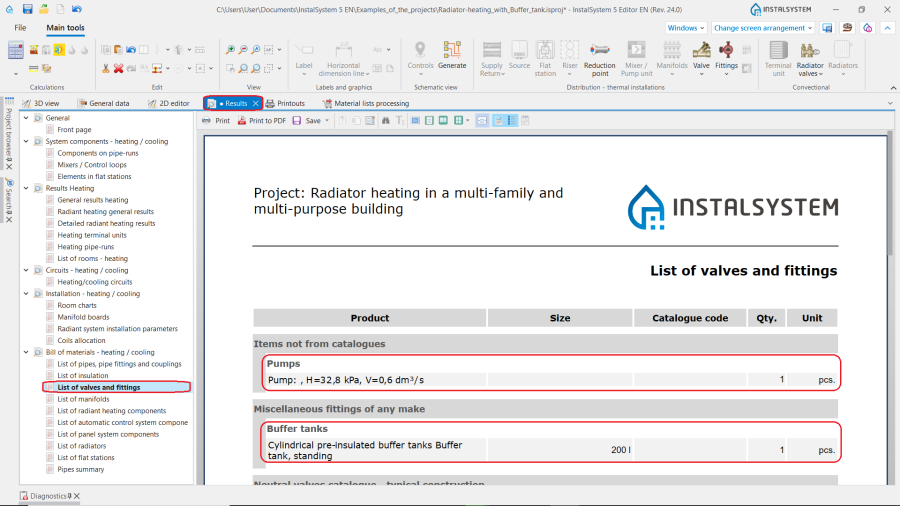
After running calculations the information on the type of the 缓冲水箱 and the can be found in the 结果 window.

3. 结果 window.