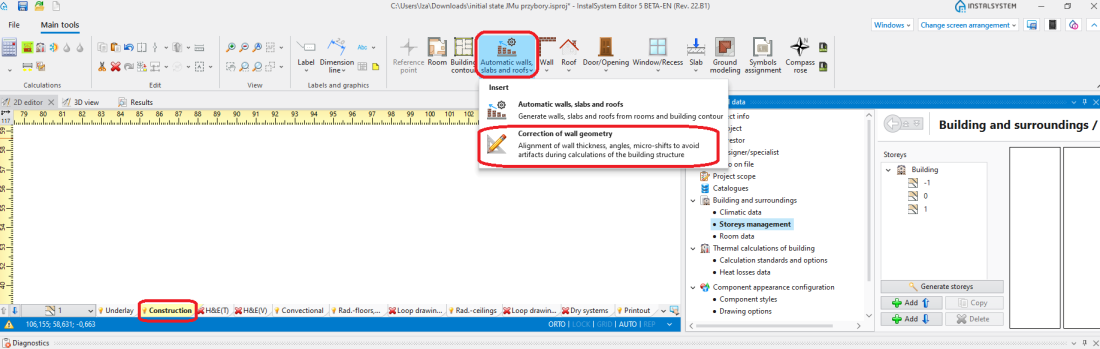
修改墙的厚度 - enables specifying/removing a permissible wall thickness. The 修改墙的厚度 tool standardizes the 厚度 of a 墙 to a defined value across the entire project.
修改墙的角度 - specifies the value of angle correction of a 墙. The 修改墙的角度 function modifies the value to a grid value, which by default is set to 3. The value is complemented to 90, 93, 96 and so on and adjusted accordingly. The angle shift does not depend on the position of the wall hotpoint.
修改楼层间的位置 requires specifying the tolerance (in cm) of the mutual vertical misalignment of 墙 type components. The storey with respect to which the alignment correction is to be made must also be indicated. ATTENTION! This function corrects the position of walls only, corrections in the area of horizontal slab partitions, if required, must be made manually.