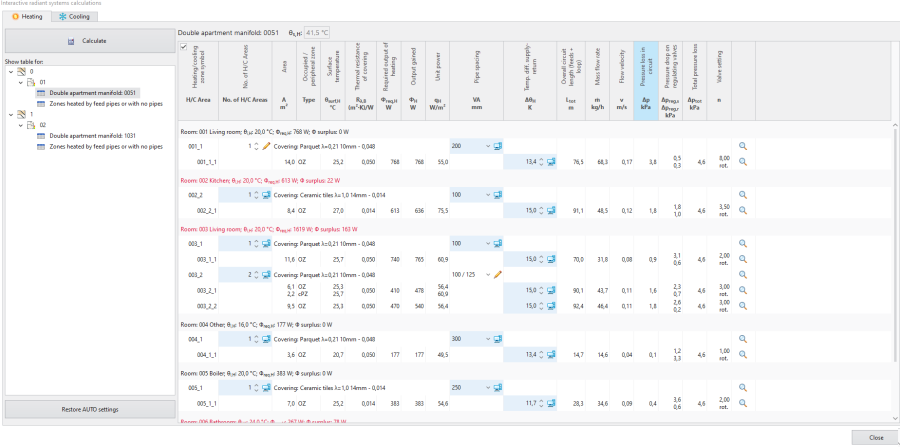
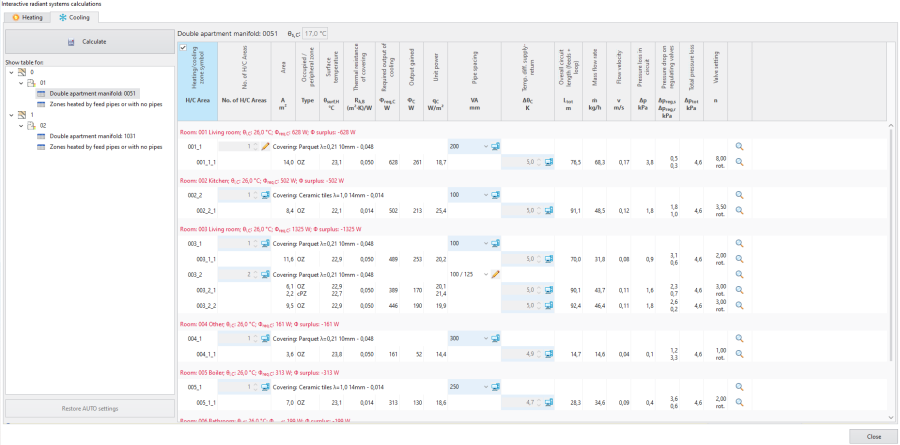
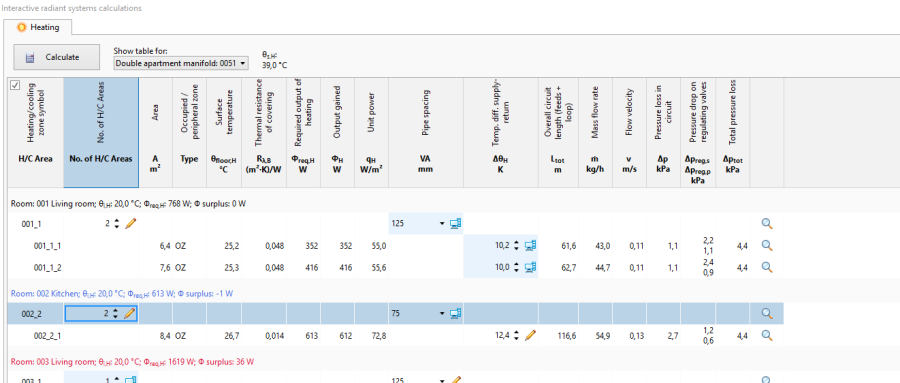
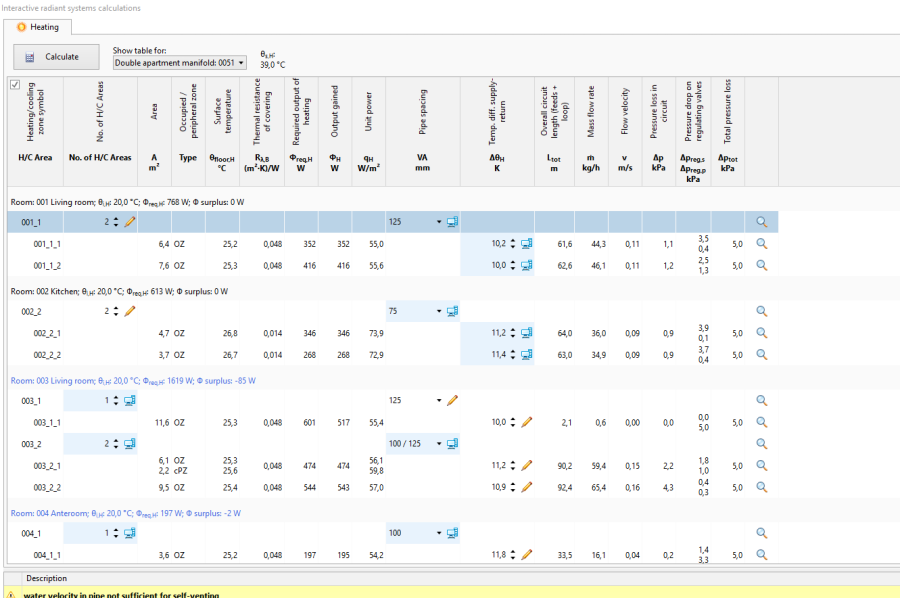
Which interactive calculations are possible and which windows are editable depends on the selected use of source.
供热 use - in the 交互式辐射系统计算 window it is possible to modify parameters in the Heating tab, the Cooling tab is empty.
供热和供冷 use - in the 交互式辐射系统计算 window it is possible to modify parameters in the Heating tab, the Cooling tab displays all values, but these cannot be modified.
供冷 use - in the 交互式辐射系统计算 window it is possible to modify parameters in the Cooling tab, the Heating tab is empty.
Other possibilities in the 交互式辐射系统计算 window
Filtering H/C areas connected to given manifold. 5. Filtering 供热/供冷区 connected to given manifold.
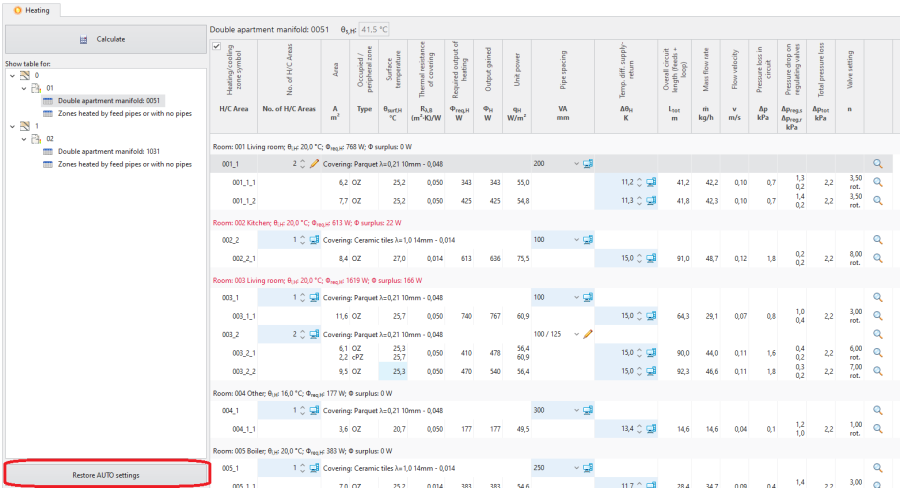
Restoration of automatic calculation settings - 恢复自动设置. 6. 恢复自动设置
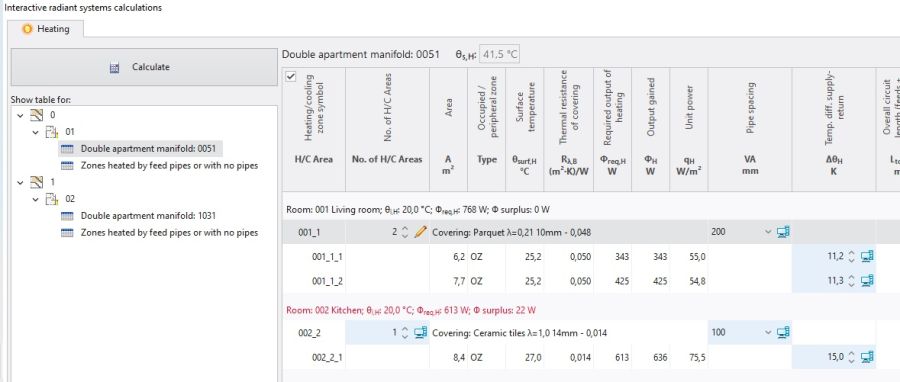
Adjustment of the number of Heating/Cooling Areas
When the number of H/C Areas is changed manually, the default values of 供回水温差 (computer status) are restored for all H/C Areas belonging to given H/C Areas Zone.
Adjustment of pipe spacing
As a result of manual adjustment of 管间距 the program can change the value of 供热/供冷面, but the automatic mode of 供热/供冷区 division is not disabled. Change in the value of 管间距 in a single 供热/供冷面 changes that parameter in all 供热/供冷面 elements present within the common 供热/供冷区.
Adjustment of 供回水温差
Modification of this value may, among other things, have an effect on the elimination of the diagnostics message:
管道中水的流速不足,无法自排气.
Additional information
The consequence of adjusting parameters in 交互式辐射系统计算 is the rejection of the option of optimum supply temperature determination in a radiant system according to the criterion selected in 一般参数:
热输出和压降,
最小投资成本.
This rejection is indicated by the program with diagnostics messages at the hint level:
在输出功率上有比所指定的管间距更好的管间距,
在成本上有比所指定的管间距更好的管间距。,
在热输出功率和流量上有比所指定的管间距更好的管间距.
The list of diagnostics messages in the 交互式辐射系统计算 window may differ from that in the 诊断 window. Any adjustments in the design should be based on the list of messages created after calculations are made for the appropriate scope of the design, e.g. "Heating and cooling systems", that is in the 诊断 window.
Rules of highlighting the fields which are editable in the calculations window:
Changing a value in a field causes the cell to be highlighted with another colour and presentation of that value. 6. Presentation of a field with a manually entered value immediately after editing
No colour highlighting after completed calculation. 7. Presentation of a field with manually entered value after calculation