给水系统的设计
| 产品 | InstalSystem 5 |
| 文章类型 | DESIGN APPLICATIONS |
| 版本的最新内容 | GOLD Rev. 15.3 |
Scope of lesson
The article presents how to design internal sanitary systems (hot, cold water, hot water circulation piping). The example is based on a project prepared for a three-storey unifamilar house with a basement.
Modules and program configuration
- InstalSystem 5 with the module:
- 给水系统
Initial state
The project contains complete default data configured in the template file. The building structure has been elaborated on the basis of DWG layouts.
Steps to perform
Opening the project file
- Open a new project.
更多信息,见: Project and application management - Choose the required template file (optional).
更多信息,见: Template files - (alternatively): Open an existent file with a building structure. If it has been prepared with a different package configuration, import general data and settings from the template.
更多信息,见: Template files
| 项目文件
|
Initial state, isproj Hot and cold water supply and hot water circulation installation, isproj |
| 设计时使用 | InstalSystem 5 Rev. 15.3 |
| 所需模块 | InstalSystem basis Tap water systems |
| 项目范围 | Water supply installation |
| 所用的产品目录 |
Steel pipes, medium, DIN 2440 |
| 建筑类型 | residential building with basement 3-storey |
| 建筑结构 | Base drawing all storeys, dwg |
| 图纸范围 | Plan view |
| 设计者 |  www.instalsoft.com |
| 法律免责声明 | The whole file or parts of the project may be copied |
| 计算结果 | Full printout, pdf Bill components, pdf |
| 设计图纸 | all storeys, pdf Basement, pdf Ground floor, pdf Attic floor, pdf |
defining catalogues and general data
Correction of general data is not necessary if we begin work with a template file dedicated to such a scope. Correction is necessary if we begin work with a file that has been elaborated with a configuration without tap water systems module.
- 项目范围 - define project scope: 给水系统.
- 目录 – choose catalogues according to the list in the project table in scope of:
- pipes and fittings,
- insulation,
- tap assemblies and water outlet points,
- valves and fixtures.
- 给水系统计算:
- 计算标准和选项:
- 计算标准 - choose the correct norm indicating method of flow calculation,
- 自来水源
- 默认的建筑类型
- 默认的冷水温度
- 默认的热水温度
- 水力分配系统
- 默认类型和参数
- 默认的管材类型: 冷水管路
- 默认的管材类型: 热水和循环水管路
- 默认的阀门类型
- 默认的管件和分集水器类型
- 管材和绝热材料设计选项
- 默认类型和参数
- 卫生器具和放水点
- Domyślne przybory sanitarne i domyślne dla nich punkty czerpalne
- 默认的连接系统
- 其它出水点连接系统 - according to the applied pipe system
- 计算标准和选项:
Editing sanitary installation
Perform inserting and graphical edition with 捕捉 mode on (for chosen layers).
水龙头、卫生器具和排水
- Select the 给水总管 editing scope.
- Insert fixtures and water taps in proper rooms.
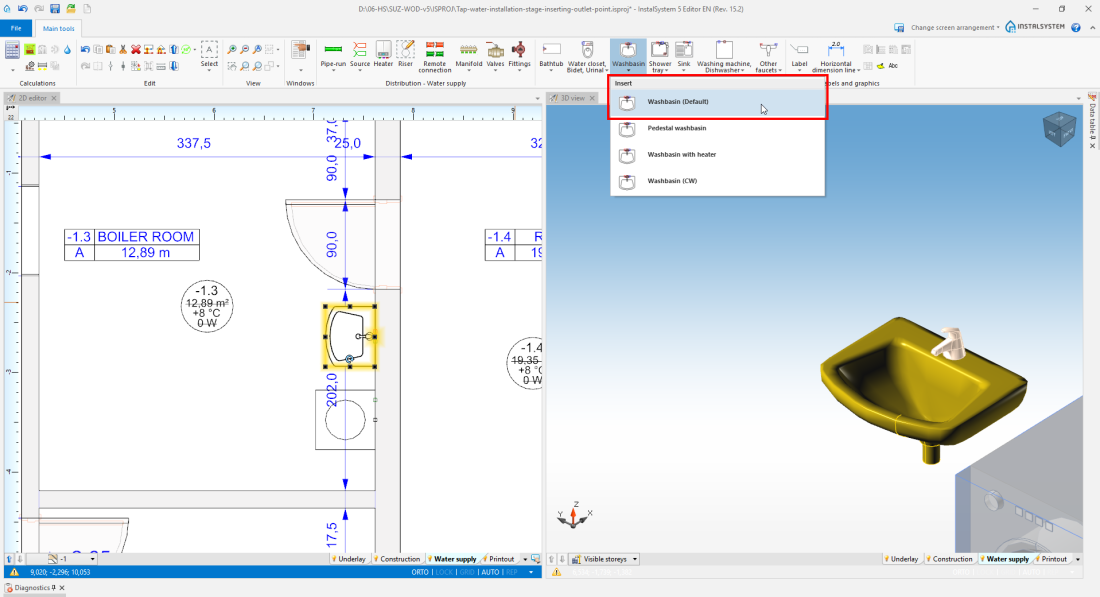
1. 水龙头、卫生器具和排水

水源
- Insert 水源 and configure it in scope of:
- 连接
- 源外观
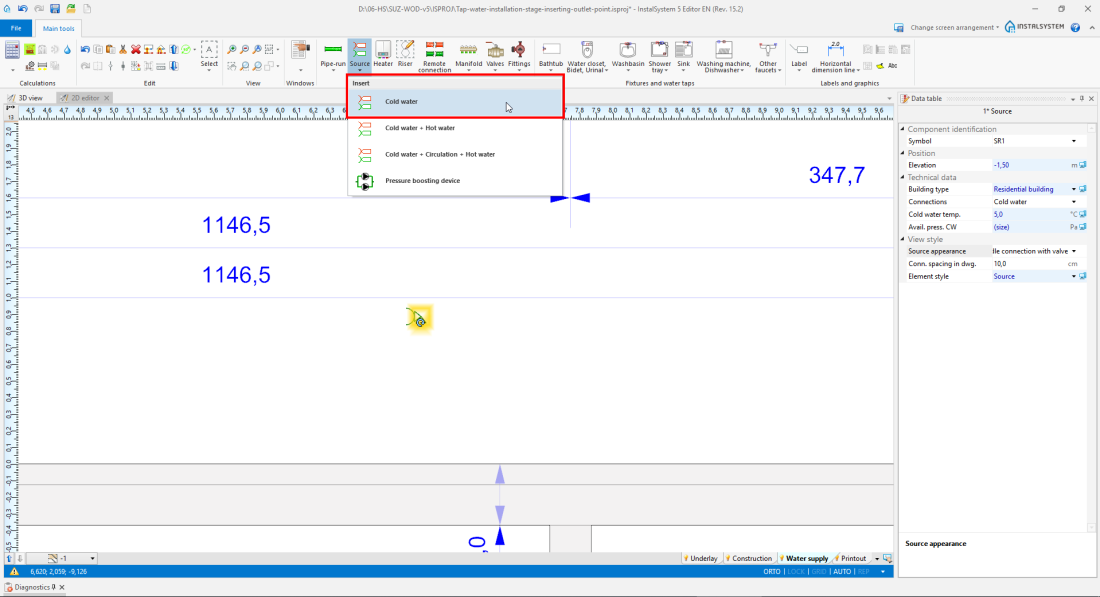
2. 水源

立管
- Insert 立管 and configure it in scope of:
- 符号
- 连接
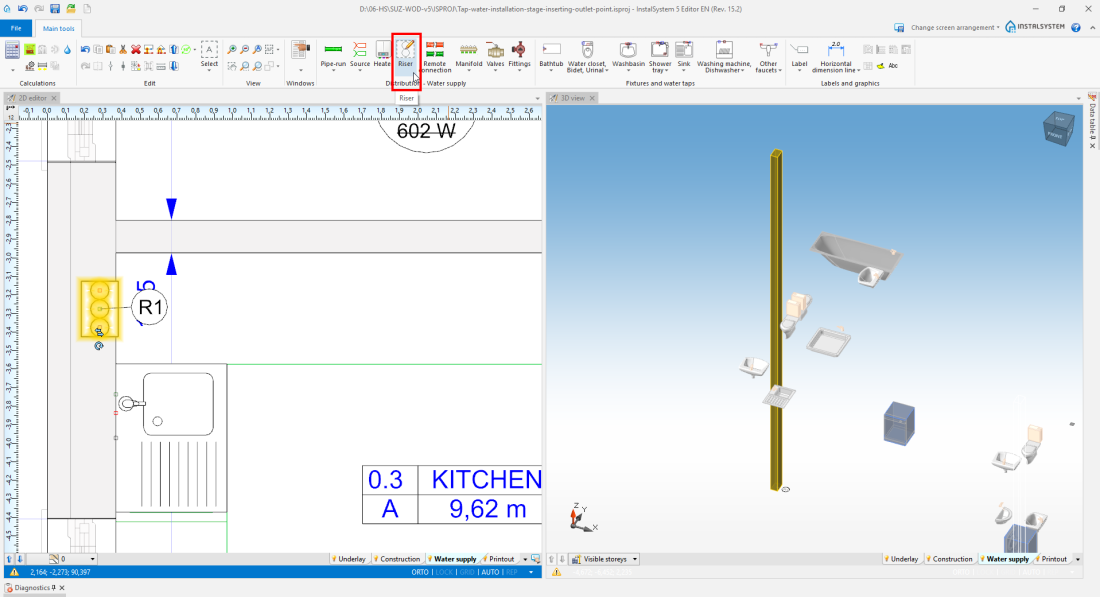
3. 立管

加热设备
- Insert 加热设备 and configure it in scope of:
- 符号
- 热水器类型
- 循环连接
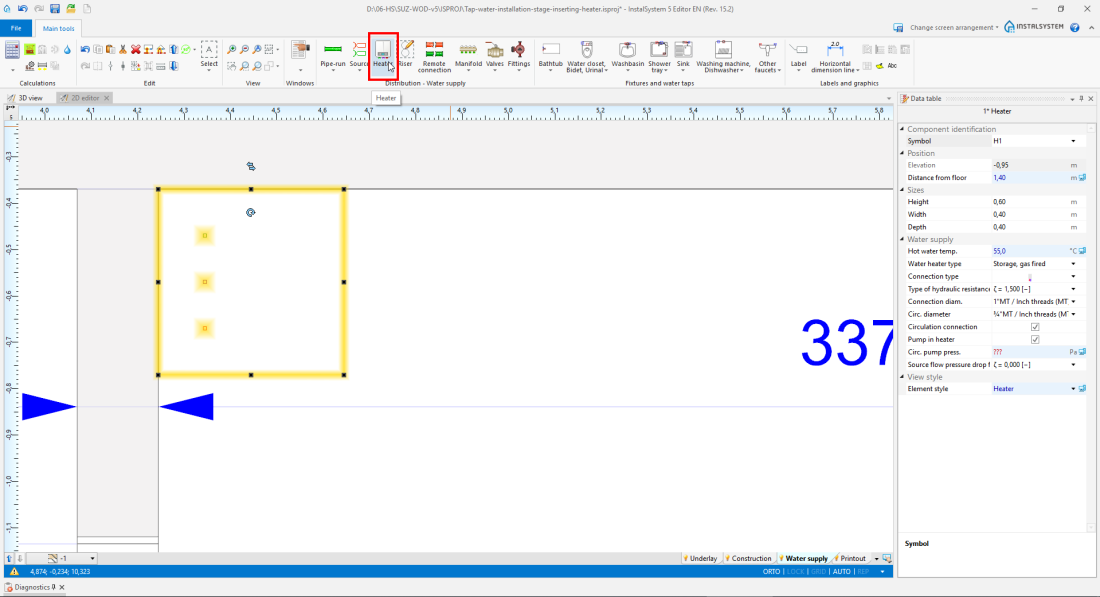
4. 加热设备

Installation distribution
Connect the inserted elements by various pipe feeds with correct spacing between them, using the 捕捉 and 定向线 working modes.
Circulating piping should be connected hot water pipe feeds at the water outlet points by drawing circulating pipe feeds from the riser peak.

Connect water outlet points with the water distribution installation with the 自动连接末端装置 function.
阀门
- Insert 止回阀、截止阀和球阀, 止回阀, 循环控制器, 减压阀/控制器.
Valves may be moved in 3D视图 vertically on vertical sections if needed. In addition, while changing 旋转角度 in Tabeli danych, it is possible to rotate valves about the pipe feed axis.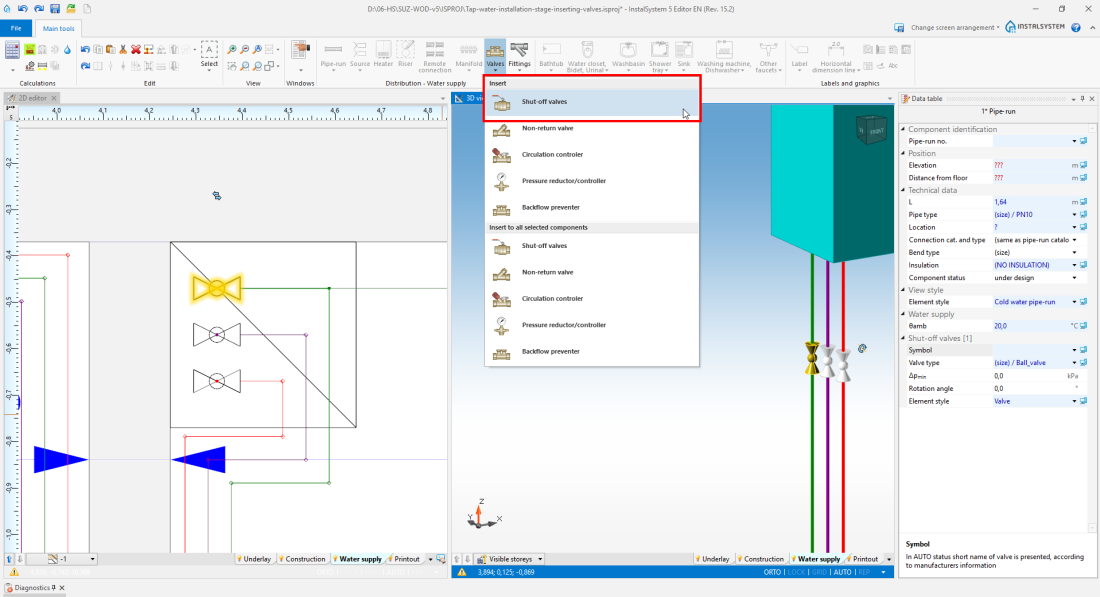
6. 阀门

管件
- Insert 过滤器, 水表.
Fittings may be moved in 3D视图 vertically on vertical sections, if needed. In addition, while changing 旋转角度 in Tabeli danych, it is possible to rotate valves about the pipe feed axis.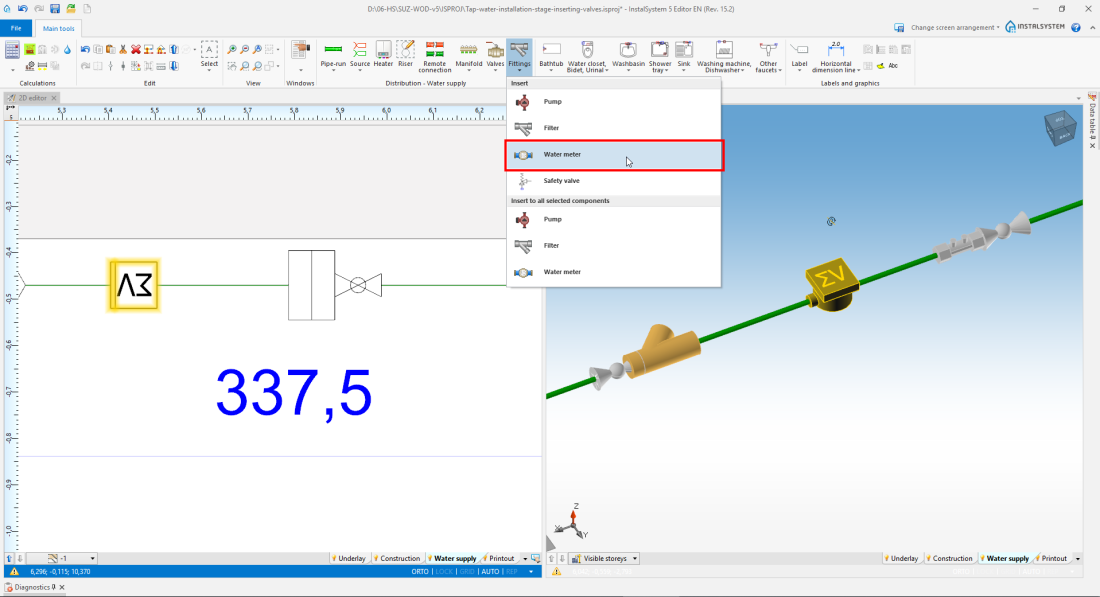
7. 管件

安全阀
- Insert 安全阀 and connect it with the installation via the 无流量 pipe feed type.
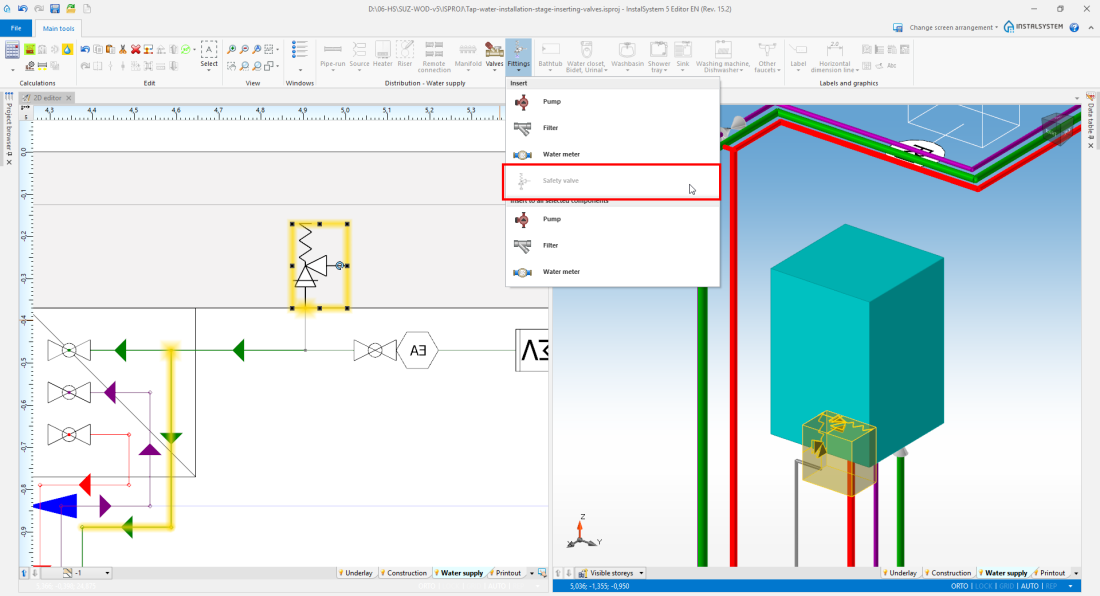
8. 安全阀

Installation structure correctness verification
- Verify correctness of the installation structure with the 检查连接 function (shortcut: Shift + F2).
- Verify correctness of the installation structure and detect collisions with3D视图.
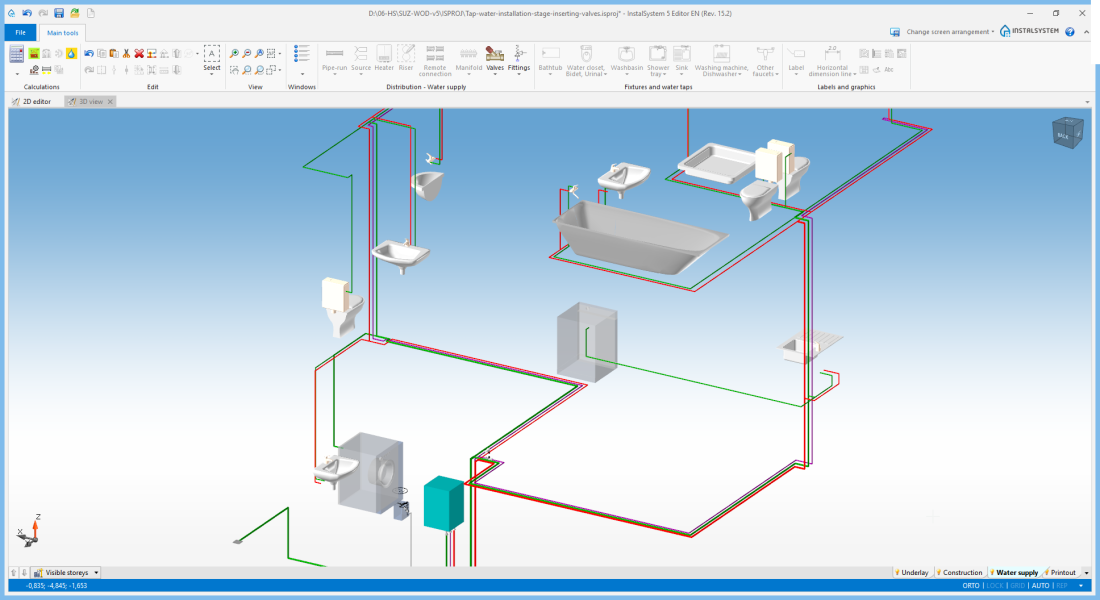
9. Installation structure correctness verification
更多信息,见: Verification of the correctness of installation structure

Editing data of installation elements
水龙头、卫生器具和排水
- Correct 与地面的距离, if necessary
- Correct 需求类型, if necessary
- Correct / complete其它出水点连接系统
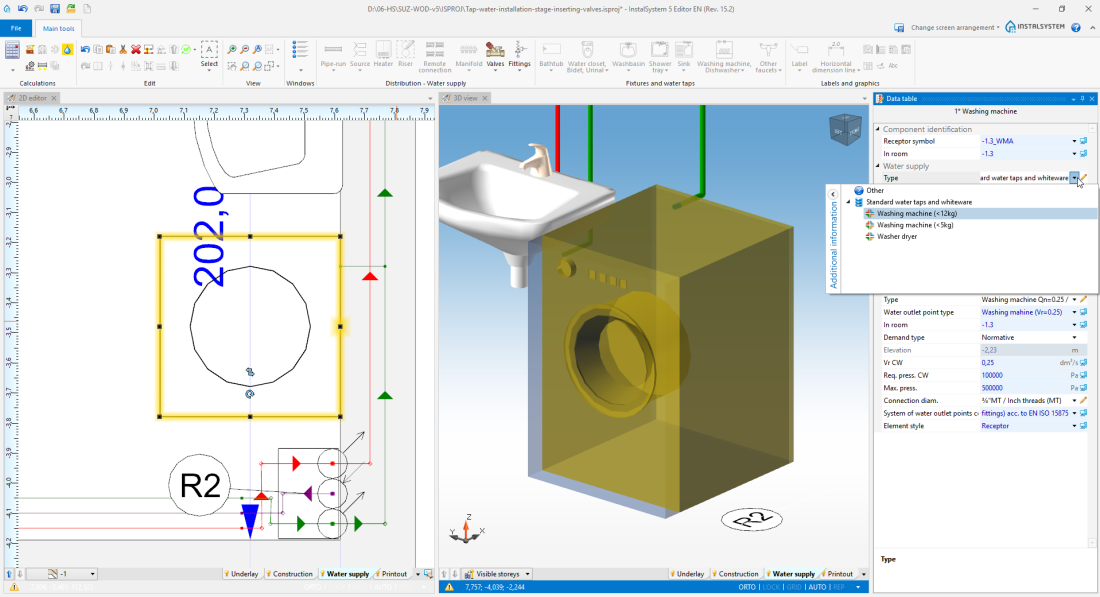
10. 其它出水点连接系统

水源
- Correct 源的标高, if necessary
- Enter 资用压力 if pressure in the external water supply system is known.
加热设备
- Correct 与地面的距离 if necessary
- Complete 流体阻力类型,
- Complete 循环管路热源压降
Calculations and diagnostics
- Run the 给水系统计算 calculations by clicking on the
 icon located in the 计算 section on the toolbar.
 - Verify calculation results, in particular:
- selected supply pressure and obtained available pressure at receptors,
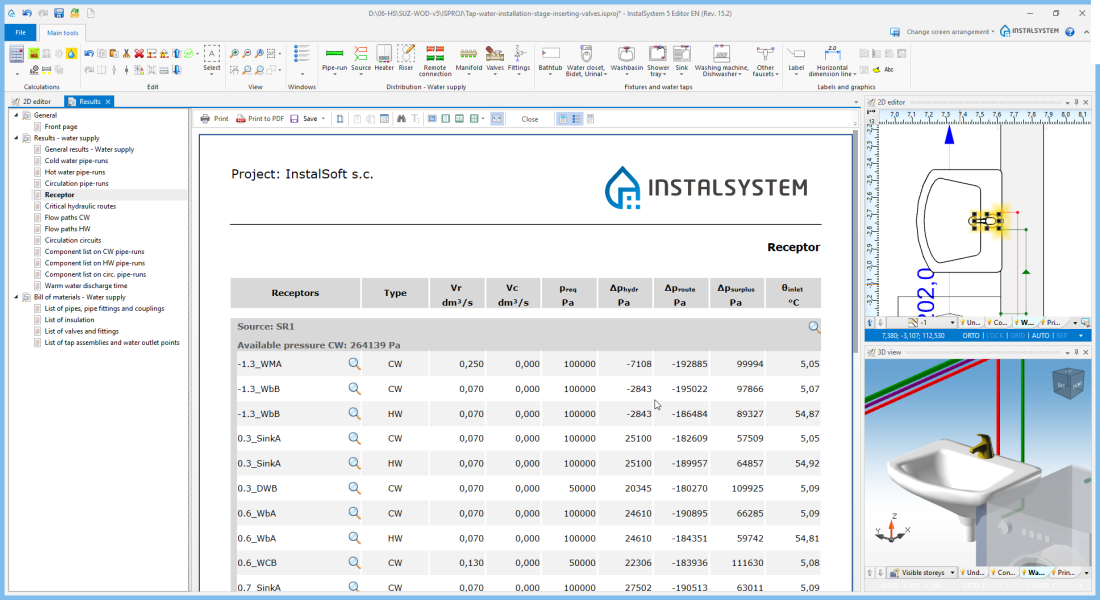
11. 用水器具 - calculations of circulation circuits and their balancing,
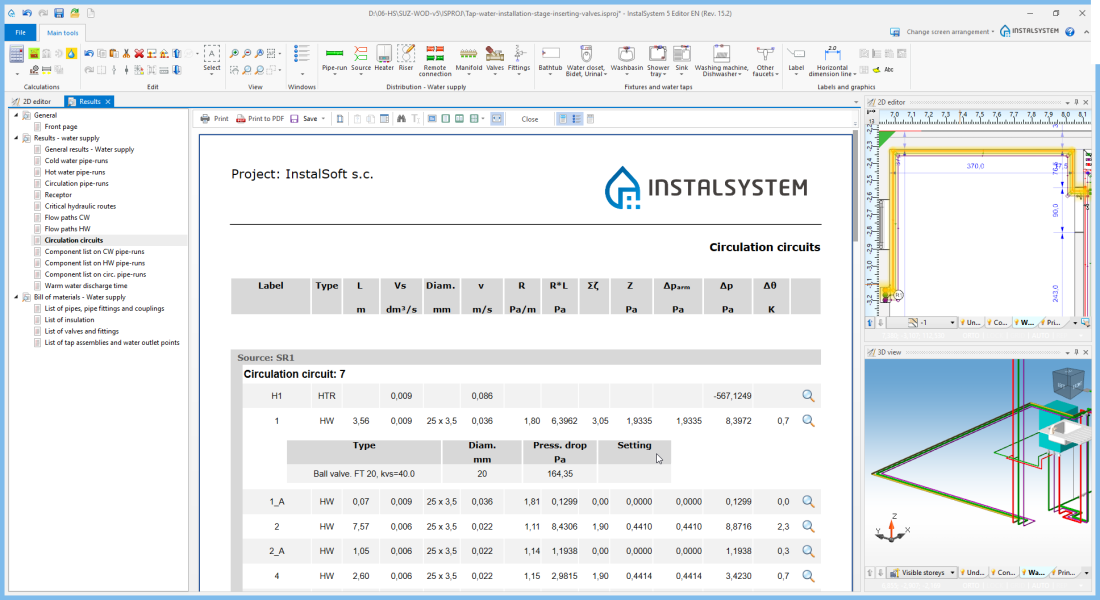
12. 循环管路 - calculation of pressure booster circuit and pressure regulator parameters.
- selected supply pressure and obtained available pressure at receptors,


更多信息,见: Calculations and diagnostics