带基点复制、旋转和镜像:修订间差异
跳转到导航
跳转到搜索
| 第30行: | 第30行: | ||
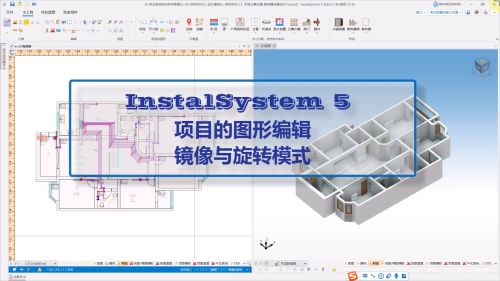
[[File:镜像和旋转视频封面.png|500 px|left|thumb|'''[[视频:InstalSystem 5 - 项目的图形编辑-镜像旋转模式]]'''|link=https://www.bilibili.com/video/BV1rkWfeQEca?t/]]<br clear="all"/> | [[File:镜像和旋转视频封面.png|500 px|left|thumb|'''[[视频:InstalSystem 5 - 项目的图形编辑-镜像旋转模式]]'''|link=https://www.bilibili.com/video/BV1rkWfeQEca?t/]]<br clear="all"/> | ||
== | ==应用举例== | ||
==== | ====复制到下一楼层==== | ||
使用''<IS_TS id=rpCopyBase/>'' 功能。建筑和系统部件均可被复制到下一楼层。<br/>{{#ev:youtube|VkBCTwy9PFM|900||||rel=0}} | |||
==== | ====两个项目之间的复制==== | ||
利用''<IS_TS id=rpCopyBase/>'' 功能,可以在两个项目文件之间进行建筑和系统安装的复制。<br/> '''注:''' In this case 2 editors must be open simultaneously in the same scope. The copied fragment is adapted to the template of the project to which it is copied. It is recommended to customize the template before copying.<br/>{{#ev:youtube|WigUGiejmnE|900||||rel=0}} | |||
====Intelligent connection of the copied installation==== | ====Intelligent connection of the copied installation==== | ||
2025年3月29日 (六) 15:59的版本
| 产品 | InstalSystem 5 |
| 文章类型 | 功能和工具 |
| 版本的最新内容 | 2024-08-14 |
说明
- 带基点复制 功能允许使用事先指定的基点,对建筑图元和系统部件进行单独或成组的复制,
- 镜像 复制功能在设计对称建筑和装置时,非常实用高效。
- 旋转 功能允许根据项目需要的朝向进行复制。
在程序中的位置
带基点复制 按钮位于2D编辑器 窗口,主工具 选项卡,编辑 工具栏内。

在进行粘贴 操作时,将在屏幕右侧弹出旋转 / 镜像 窗口,以便根据需要选择使用镜像 和旋转 功能,指定镜像角度、镜像方法(垂直或水平)和旋转角度。此窗口可以自由移动并放置在工作空间上的任何合适位置。

注: 如果在处理项目的过程中不需要这些功能,可以在工作屏幕底部的镜像/旋转 选项卡中禁用它们。
有关此文件的相关视频
应用举例
复制到下一楼层
使用带基点复制 功能。建筑和系统部件均可被复制到下一楼层。
两个项目之间的复制
利用带基点复制 功能,可以在两个项目文件之间进行建筑和系统安装的复制。
注: In this case 2 editors must be open simultaneously in the same scope. The copied fragment is adapted to the template of the project to which it is copied. It is recommended to customize the template before copying.
Intelligent connection of the copied installation
During insertion of the installation containing loose pipe ends, the 捕捉 function for these loose ends is called to automatically connect them.