BIM - 创建附加楼层和内部楼层:修订间差异
跳转到导航
跳转到搜索
| 第43行: | 第43行: | ||
有几种方法创建附加楼层和内部楼层: | 有几种方法创建附加楼层和内部楼层: | ||
* 选择定义了附加楼层标高的''<IS_TS id=Slab/>'' 和''<IS_TS id=Roof/>'' ,然后再选择''<IS_TS id=rpCreateAddStoreysFromIfcS/>'' 功能;<br/> {{#ev:youtube|g-f4DjiLG8I|900||||rel=0}} <br clear="all"/> | * 选择定义了附加楼层标高的''<IS_TS id=Slab/>'' 和''<IS_TS id=Roof/>'' ,然后再选择''<IS_TS id=rpCreateAddStoreysFromIfcS/>'' 功能;<br/> {{#ev:youtube|g-f4DjiLG8I|900||||rel=0}} <br clear="all"/> | ||
* | * 如果上述方法不完全适用于附加楼层和内部楼层,则可在''<IS_TS id=StoreyManagement/>'' 窗口,基于在''<IS_TS id=DataEditorTable/>'' 中提取的''Ifc<IS_TS id=IfcSlab/>'' 和''Ifc<IS_TS id=IfcRoof/>'' 参数,人工添加附加楼层和内部楼层;<br/>{{Info}} [[Preparation_of_building_structure_-_Additional_and_internal_storey_levels#Create_additional_and_internal_storey_levels| Create additional and internal storey levels]].<br/> | ||
* After interpreting an ''Ifc<IS_TS id=IfcSlab/>'' element for the main storeys that does not match existing levels elevations, create an internal level based on the storey ordinate with the command ''<IS_TS id=CreateStoreyLevelsFromSlabs/>'' from the right click menu.<br/> {{#ev:youtube|h0roEm_xiEw|900||||rel=0}} <br clear="all"/> | * After interpreting an ''Ifc<IS_TS id=IfcSlab/>'' element for the main storeys that does not match existing levels elevations, create an internal level based on the storey ordinate with the command ''<IS_TS id=CreateStoreyLevelsFromSlabs/>'' from the right click menu.<br/> {{#ev:youtube|h0roEm_xiEw|900||||rel=0}} <br clear="all"/> | ||
2024年3月30日 (六) 08:35的版本
| 产品 | InstalSystem 5 |
| 文章类型 | 功能和工具 |
| 版本的最新内容 | 2024-02-12 |
说明
本文介绍了基于IFC模型创建具有附加楼层和内部楼层的建筑结构的方法。
在程序中的位置
楼层管理
- 楼层管理 位于一般参数 窗口,建筑和环境 选型中。
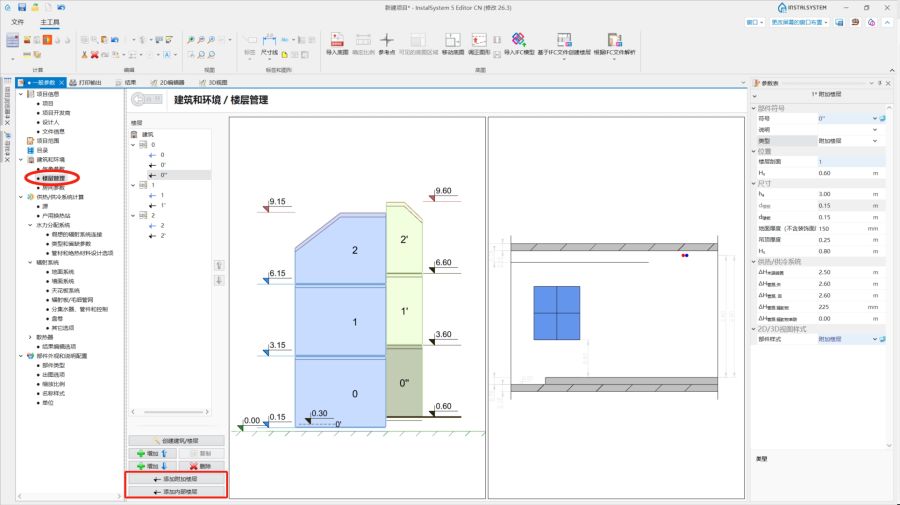
1. 楼层管理.

导入底图
- 导入IFC模型 工具位于2D编辑器 和3D视图 窗口,当进入底图 编辑范围时,在主工具 选项卡,底图 工具栏中。
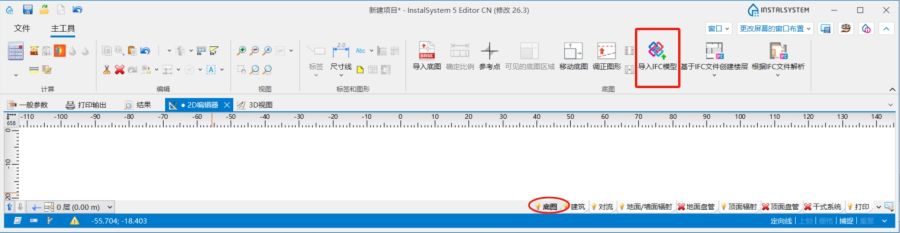
2. 底图.

建筑结构
- 与基于IFC文件创建楼层 和基于IFC文件解析 相关的工具和功能,位于2D编辑器 和3D视图 窗口,并进入底图 编辑范围,在主工具 选项卡,底图 工具栏中。

建筑结构的计算
- 建筑结构计算 ,位于主工具 选项卡,计算 工具栏中。
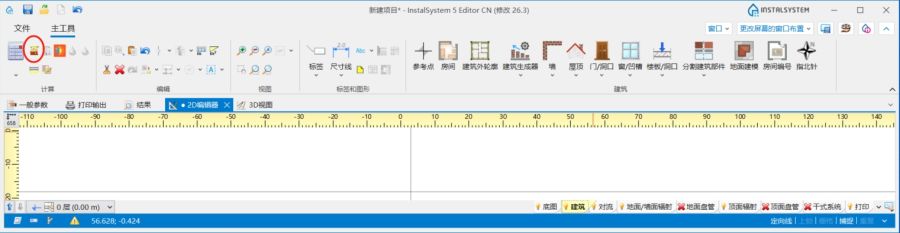
4. 建筑结构计算

应用举例
根据IFC模型,解析并创建带有附加楼层和内部楼层的完整的建筑结构
导入IFC模型
更多信息,见: BIM - 在InstalSystem 5软件包中导入和管理IFC模型。
创建主楼层
更多信息,见: BIM - 基于导入的IFC模型参数创建楼层。
创建附加楼层和内部楼层
有几种方法创建附加楼层和内部楼层:
- 选择定义了附加楼层标高的楼板 和屋顶 ,然后再选择基于从IFC文件中选定的楼板和屋顶创建附加楼层 功能;
- 如果上述方法不完全适用于附加楼层和内部楼层,则可在楼层管理 窗口,基于在参数表 中提取的Ifc楼板 和Ifc屋顶 参数,人工添加附加楼层和内部楼层;
更多信息,见: Create additional and internal storey levels. - After interpreting an Ifc楼板 element for the main storeys that does not match existing levels elevations, create an internal level based on the storey ordinate with the command 创建内部楼层 from the right click menu.
Interpret structural components
Make the interpretation of other structural components of the IFC model.
更多信息,见: Interpretation of IFC elements into building structure elements.
Additional information
To simplify the handling of multiple storey levels, the function 显示楼层标高 can be used. The elevations are taken from the data defined in the 楼层管理 window.
Executing the IFC export
By default the program does not separate additional and internal levels during exporting. The levels are exported on the same sheet together with the corresponding main storey.