建筑结构的准备 - 创建阳台:修订间差异
跳转到导航
跳转到搜索
无编辑摘要 |
无编辑摘要 |
||
| 第25行: | 第25行: | ||
==在程序中的位置== | ==在程序中的位置== | ||
===建筑结构=== | ===建筑结构=== | ||
在''2D编辑器'' 窗口中,当打开''<IS_TS id=lystrFloors/>'' 编辑范围时,在''<IS_TS id=NarzedziaGlowne/>'' 的''<IS_TS id=lystrFloors/>'' 工具栏中,可见与建筑结构相关的部件和功能图标。<br/>[[File: | * 在''2D编辑器'' 窗口中,当打开''<IS_TS id=lystrFloors/>'' 编辑范围时,在''<IS_TS id=NarzedziaGlowne/>'' 的''<IS_TS id=lystrFloors/>'' 工具栏中,可见与建筑结构相关的部件和功能图标。<br/>[[File:建筑工具的位置.png|900 px|left|thumb|3. 建筑结构部件]]<br clear="all"/> | ||
===建筑结构的计算=== | |||
= | * 在计算''<IS_TS id=sObliczenie/>'' 选项卡的''<IS_TS id=NarzedziaGlowne/>'' 中可找到''<IS_TS id=BuildingStructureCalculation/>'' 。<br/>[[File:建筑结构的计算.png|900 px|left|thumb|2. ''<IS_TS id=BuildingStructureCalculation/>'']]<br clear="all"/> | ||
* ''<IS_TS id= | |||
==Examples of use== | ==Examples of use== | ||
2020年11月26日 (四) 13:50的版本
| 产品 | InstalSystem 5 |
| 文章类型 | 功能和工具 |
| 版本的最新内容 | 版本 Rev. 17.2 |
说明
本文介绍了如何创建阳台
编辑过程中常常需要调用 建筑结构计算 以便显示所做修改的效果。
更多信息,见: 建筑结构的准备
在程序中的位置
建筑结构
- 在2D编辑器 窗口中,当打开建筑 编辑范围时,在主工具 的建筑 工具栏中,可见与建筑结构相关的部件和功能图标。
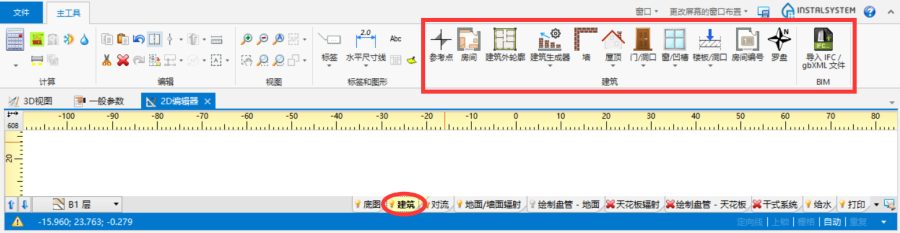
3. 建筑结构部件

建筑结构的计算
- 在计算计算 选项卡的主工具 中可找到建筑结构计算 。
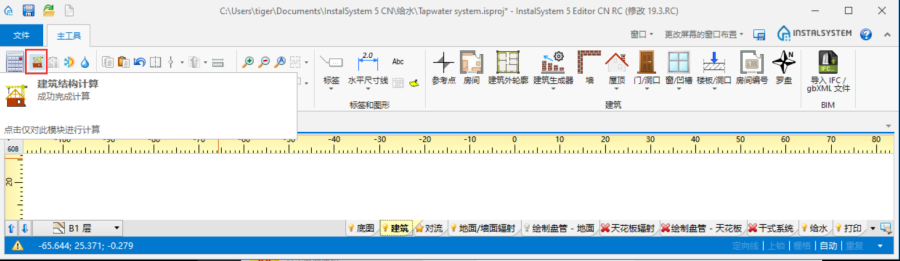
2. 建筑结构计算

Examples of use
1. Create the outline of the loggia using the 墙 element. Then adjust the outer walls.
- roofed loggia,
- roofless loggia - in order to cut out a fragment of the 屋顶 use the 屋顶开洞 element,
- loggia with a roof with an opening - in order to cut out a fragment of the 屋顶 use the 屋顶开洞 element and then use 添加屋顶边缘,