供热/供冷区的构造编辑器:修订间差异
跳转到导航
跳转到搜索
无编辑摘要 |
|||
| 第36行: | 第36行: | ||
====''<IS_TS id=strOkladzinaWierzchnia/>''==== | ====''<IS_TS id=strOkladzinaWierzchnia/>''==== | ||
[[File:Floor-build-up-Covering.png|left|thumb|1200px|6. ''<IS_TS id=strOkladzinaWierzchnia/>'']]<br clear="all"/> | [[File:Floor-build-up-Covering.png|left|thumb|1200px|6. ''<IS_TS id=strOkladzinaWierzchnia/>'']]<br clear="all"/> | ||
# ''<IS_TS id= | # 对于''<IS_TS id=strs_enumidISFPomieszczenieEN12831_TypUzytkowyPomieszczenia/>'' ,''<IS_TS id=strDomyslnaOkladzina/>'' 源于''<IS_TS id=btProjectOptions/>'' <br/>[[File:Floor-build-up-Covering-GDM.png|left|thumb|1200px|7. ''<IS_TS id=strDomyslnaOkladzina/>'']]<br clear="all"/> | ||
# ''<IS_TS id= | # 对于每一个''<IS_TS id=strSPGCh/>'' ,''<IS_TS id=strOkladzinaWierzchnia/>'' 部件是可以修改的。<br/>[[File:Floor-build-up-Covering-DEM.png|left|thumb|1200px|8. ''<IS_TS id=strOkladzinaWierzchnia/>'']]<br clear="all"/><br/> | ||
====''<IS_TS id=strGruboscWylewkiCalkowita/>''==== | ====''<IS_TS id=strGruboscWylewkiCalkowita/>''==== | ||
2019年12月10日 (二) 03:40的版本
| 产品 | InstalSystem 5 |
| 文章类型 | 功能和工具 |
| 版本的最新内容 | Version GOLD Rev. 16.0 |
说明
本文描述了基于供热/供冷区的位置对其结构、传热和运行数据编辑的可能性。
在程序中的位置
供热/供冷区的构造编辑器位于:点击供热/供冷区 ,查看其参数表 ,在地面供暖/供冷构造 \ 墙面供热/供冷构造 \ 天花板供热/供冷构造 的下拉菜单中。

应用举例
在供热/供冷区构造编辑器中参数的展示
- 地面供暖/供冷构造 \ 墙面供热/供冷构造 \ 天花板供热/供冷构造 中显示供热/供冷区的总厚度以及总热阻
- 打开编辑器后,用户可以访问特定数据,并根据这些数据计算总值:
- 供热/供冷区各层的总厚度。

3. 层的厚度 - 供热/供冷区各层的热阻和围护结构的热阻。

4. 层的热阻 
5. 总构造厚度 和各层热阻
- 供热/供冷区各层的总厚度。


在编辑器窗口中修改参数后,需要重新计算项目以更新所有数值。
供热/供冷区构造的编辑
表面装饰层

- 对于房间类型 ,默认的表面装饰层 源于一般参数
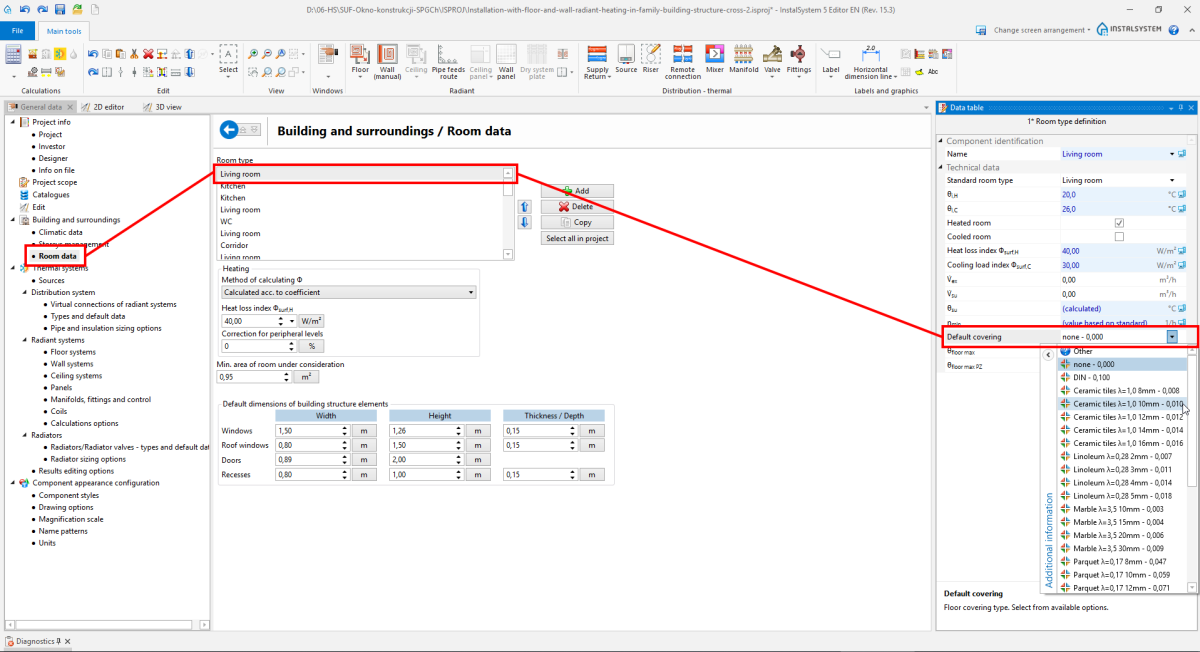
7. 默认的表面装饰层 - 对于每一个供热/供冷区 ,表面装饰层 部件是可以修改的。
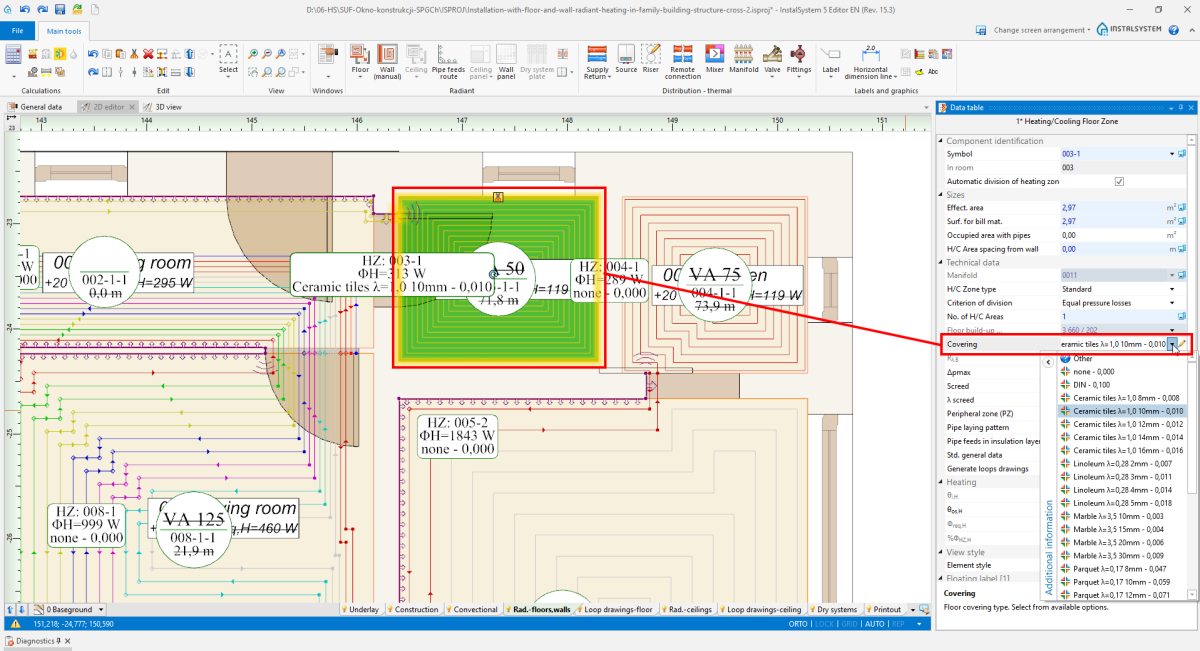
8. 表面装饰层


砂浆/石膏层总厚度

砂浆/石膏层总厚度, in case of the 自动 setting, may change according to the 地面最大工作载荷 value (), within limits allowed by the producer. The user may change thickness, also in the limits allowed by the system producer, while taking into consideration all other system data.
管顶上方回填层/石膏层厚度 管顶以上厚度 is always calculated automatically by the program, and it cannot be changed manually.
系统构造板

- The user may change the structural panel if:
- there are more structural panels than one for a given fastening method.

11. 系统构造板 - choose from 一般参数 - In 参数表 of the element 供热/供冷区, the user ticked off 标准基本参数 - otherwise, the field is available only in the 自动 status, with no edition possibilities.
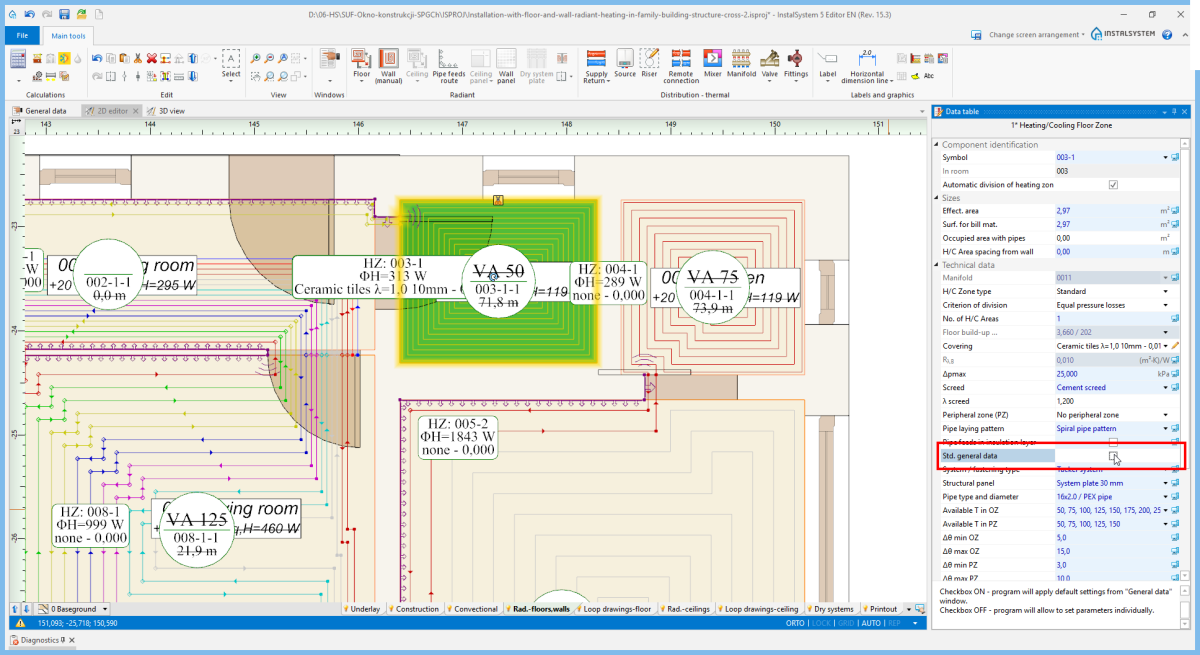
12. 系统构造板 - selection in 参数表


绝热层选择

- 自动
The program selects 绝热层选择 with minimal resistance according to EN 1264: 1:2011 2:2013 3,4:2009 5:2008 for a given structural panel and upon the 另一侧的温度 value.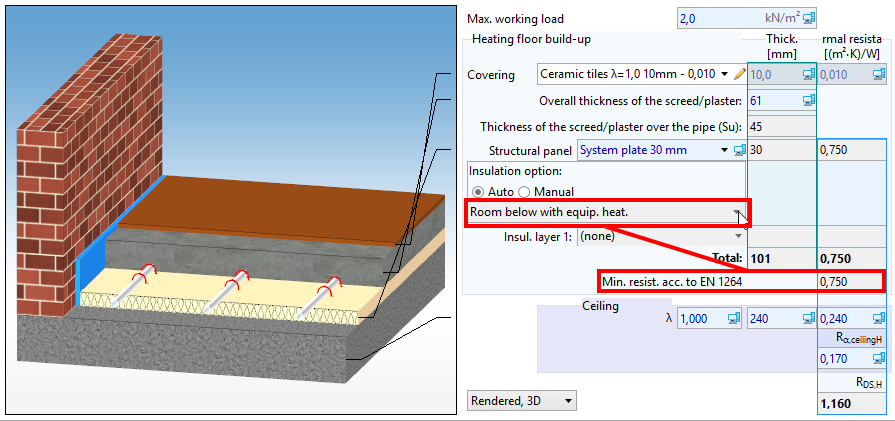
14. 绝热层选择 - 自动 - 手动
It is possible to choose 绝热层选择 from the catalogue or to define one's own by choosing particular insulation layers (up to 5 layers).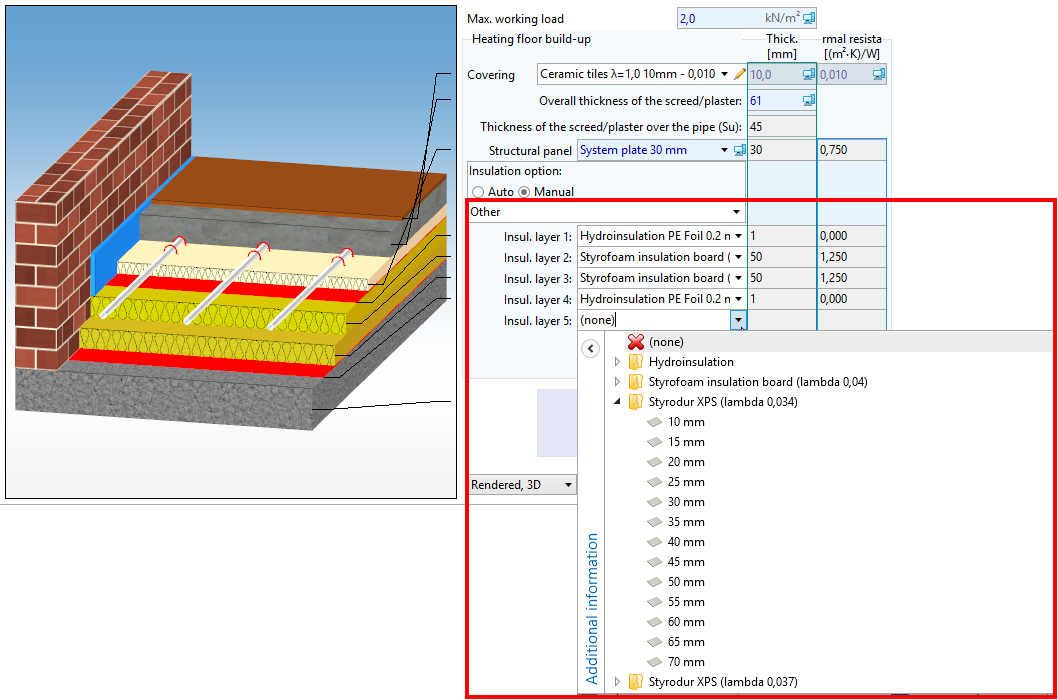
15. 绝热层选择 - 手动


盘管辐射构造断面图
The user may change the way in which the structure cross section drawing is presented.

Structural and heating partition data editing

- The program does not select elements among 围护结构定义 from the 建筑热负荷计算 scope, and they should be corrected manually.
- From 一般参数, only the Lower slab thickness, d楼板 value is drawn.

18. Lower slab thickness, d楼板
