带基点复制、旋转和镜像:修订间差异
跳转到导航
跳转到搜索
(建立内容为“<IS_HELP id="HS184"/> {{Article table |commercial_product1=InstalSystem 5 |p2 =<!--gdy jest kolejny produkt handlowy, zamienić na->"produkt_handl…”的新页面) |
无编辑摘要 标签:手工回退 |
||
| (未显示2个用户的24个中间版本) | |||
| 第6行: | 第6行: | ||
|p4 =<!--gdy jest kolejny produkt handlowy, zamienić na->"produkt_handlowy3="--> | |p4 =<!--gdy jest kolejny produkt handlowy, zamienić na->"produkt_handlowy3="--> | ||
|category1 =InstalSystem 5#Funkcjonalności | |category1 =InstalSystem 5#Funkcjonalności | ||
|category_name1 = | |category_name1 =功能和工具 | ||
|c2 =<!--Jest kategoria -> zamienić na: "category2=" i uzupełnić link do sekcji kategorii na stronie głównej produktu--> | |c2 =<!--Jest kategoria -> zamienić na: "category2=" i uzupełnić link do sekcji kategorii na stronie głównej produktu--> | ||
|category_name2 =<!--podać nazwę kategorii "ZASTOSOWANIE"/"FUNCTIONALITY"/...--> | |category_name2 =<!--podać nazwę kategorii "ZASTOSOWANIE"/"FUNCTIONALITY"/...--> | ||
| 第17行: | 第17行: | ||
}} | }} | ||
== | ==说明== | ||
* | * ''<IS_TS id=rpCopyBase/>'' 功能允许使用事先指定的基点,对建筑图元和系统部件进行单独或成组的复制, | ||
* | * ''<IS_TS id=Mirror/>'' 复制功能在设计对称建筑和装置时,非常实用高效。 | ||
* | * ''<IS_TS id=Rotation/>'' 功能允许根据项目需要的朝向进行复制。 | ||
== | ==在程序中的位置== | ||
''<IS_TS id=rpCopyBase/>'' 按钮位于''<IS_TS id=GraphicalEdit/>'' 窗口,''<IS_TS id=NarzedziaGlowne/>'' 选项卡,''<IS_TS id=ctgstringEdycja/>'' 工具栏内。<br/>[[File:带基点复制图标.png |900 px|left|thumb|1. <IS_TS id=rpCopyBase/>功能的位置]]<br clear="all"/> | |||
在进行''<IS_TS id=stractEditPasteCaption/>'' 操作时,将在屏幕右侧弹出''<IS_TS id=InsertAndPasteControlCenterWindowTitle/>'' 窗口,以便根据需要选择使用''<IS_TS id=Mirror/>'' 和''<IS_TS id=Rotation/>'' 功能,指定''<IS_TS id=MirrorAxisAngle/>''、''镜像方法''(垂直或水平)和''<IS_TS id=RotationAngle/>''。此窗口可以自由移动并放置在工作空间上的任何合适位置。<br/>[[File:镜像旋转窗口1.png |900 px|left|thumb|2. <IS_TS id=InsertAndPasteControlCenterWindowTitle/>窗口]]<br clear="all"/> | |||
''' | '''注:''' 如果在处理项目的过程中不需要这些功能,可以在工作屏幕底部的''<IS_TS id=strMIROModeName/>'' 选项卡中禁用它们。 | ||
== | ==有关此文件的相关视频== | ||
[[File:镜像和旋转视频封面.png|500 px|left|thumb|'''[[视频:InstalSystem 5 - 项目的图形编辑-镜像旋转模式]]'''|link=https://www.bilibili.com/video/BV1rkWfeQEca?t/]]<br clear="all"/> | |||
== | ==应用举例== | ||
==== | ====复制到下一楼层==== | ||
使用''<IS_TS id=rpCopyBase/>'' 功能。建筑和系统部件均可被复制到下一楼层。<br/>{{#ev:youtube|VkBCTwy9PFM|900||||rel=0}} | |||
==== | ====两个项目之间的复制==== | ||
利用''<IS_TS id=rpCopyBase/>'' 功能,可以在两个项目文件之间进行建筑和系统安装的复制。<br/> '''注:''' 在这种情况下,必须同时打开2个编辑器并在同一编辑范围内。复制的内容其外观和样式会遵从它所复制到的项目的模板的定义。建议在复制之前定义一下模板。<br/>{{#ev:youtube|WigUGiejmnE|900||||rel=0}} | |||
==== | ====复制内容的智能连接==== | ||
在插入包含松散管端的装置时,对这些松散管端,会调用''<IS_TS id=strAUTOModeName/>'' 功能自动连接它们。 | |||
[[Category:InstalSystem 5]] | [[Category:InstalSystem 5]] | ||
[[Category: | [[Category:功能和工具]] | ||
<!-- Do not write text below this tag --> | |||
<br class="iwlinks"/>[[en:Copying with a base point, rotation, mirroring|Copying with a base point, rotation, mirroring]] | |||
<!-- Do not write text below this tag --> | |||
<br class="iwlinks"/>[[pl:Kopiowanie z punktem bazowym, obrót, odbicie lustrzane|Kopiowanie z punktem bazowym, obrót, odbicie lustrzane]][[en:Copying with a base point, rotation, mirroring|Copying with a base point, rotation, mirroring]] | |||
2026年6月12日 (五) 23:15的最新版本
| 产品 | InstalSystem 5 |
| 文章类型 | 功能和工具 |
| 版本的最新内容 | 2024-08-14 |
说明
- 带基点复制 功能允许使用事先指定的基点,对建筑图元和系统部件进行单独或成组的复制,
- 镜像 复制功能在设计对称建筑和装置时,非常实用高效。
- 旋转 功能允许根据项目需要的朝向进行复制。
在程序中的位置
带基点复制 按钮位于2D编辑器 窗口,主工具 选项卡,编辑 工具栏内。

在进行粘贴 操作时,将在屏幕右侧弹出旋转 / 镜像 窗口,以便根据需要选择使用镜像 和旋转 功能,指定镜像角度、镜像方法(垂直或水平)和旋转角度。此窗口可以自由移动并放置在工作空间上的任何合适位置。

注: 如果在处理项目的过程中不需要这些功能,可以在工作屏幕底部的镜像/旋转 选项卡中禁用它们。
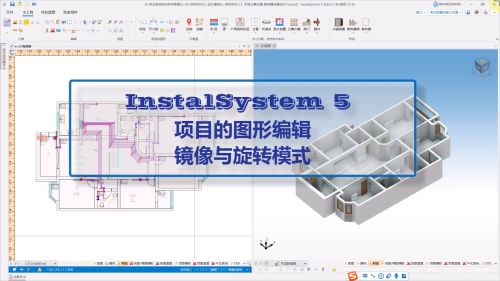
有关此文件的相关视频
应用举例
复制到下一楼层
使用带基点复制 功能。建筑和系统部件均可被复制到下一楼层。
两个项目之间的复制
利用带基点复制 功能,可以在两个项目文件之间进行建筑和系统安装的复制。
注: 在这种情况下,必须同时打开2个编辑器并在同一编辑范围内。复制的内容其外观和样式会遵从它所复制到的项目的模板的定义。建议在复制之前定义一下模板。
复制内容的智能连接
在插入包含松散管端的装置时,对这些松散管端,会调用捕捉 功能自动连接它们。