如何缩短计算时间
| 产品 | InstalSystem 5 |
| 文章类型 | 提示和技巧 |
| 版本的最新内容 | 2021-12-08 |
问题说明
如果项目非常复杂,有可能完成所有模块计算所花费的时间长达几十秒甚至几分钟。然而,我们可以控制项目的计算范围以及在该范围内的计算内容。
解决方案
仅进行所选择的计算
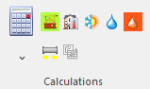
点击 按钮,省缺情况下将计算所有项目范围。通过执行以下操作之一,可以缩短计算时间:
- 展开
 按钮后,取消选中相关模块图标附近的复选框,禁用指定的计算范围。
 建筑热负荷计算
 建筑结构计算
 供热/供冷系统计算
 给水系统计算
 排水系统计算
- 通过单击相关图标仅进行选定项目范围的计算
- 在一般参数 窗口,在项目范围中不勾选特定模块


更多信息,见: 计算和诊断
更改程序设置
完成计算后,请勿启用自动切换到结果 窗口。这将减少切换到结果 和刷新打印输出所需的计算时间。

禁用3D视图窗口
在使用功能较弱的图形卡时,禁用3D视图 窗口后,计算时间(还包括刷新建筑模型图形和计算后的水暖系统所需的时间)可能会显著减少。

禁用自动绘制盘管图 功能
这适用于盘管辐射系统 模块。如果不需要盘管图,或者已经生成盘管图并获得了满意的结果,则可按如下所示禁用盘管图的生成:
更多信息,见: 手动编辑盘管图

Disabling automatic division of 供热/供冷区 and drawing of pipe feeds
This applies to the 盘管辐射系统 module. Due to the need to take into account many parameters, the algorithm for dividing the 供热/供冷区 and drawing the pipe feeds can considerably increase the project calculation time of the 供热/供冷系统计算. When satisfactory results (flow, thermal and graphical) are obtained, these algorithms can be disabled.
更多信息,见: Dividing a Heating/Cooling Zone into Heating-cooling surface components
Other
If various pipe and fitting systems are used in a project, the sizing of connections between the systems may take longer during the first calculation of the project.