如何删除: "不正确的建筑外轮廓"
跳转到导航
跳转到搜索
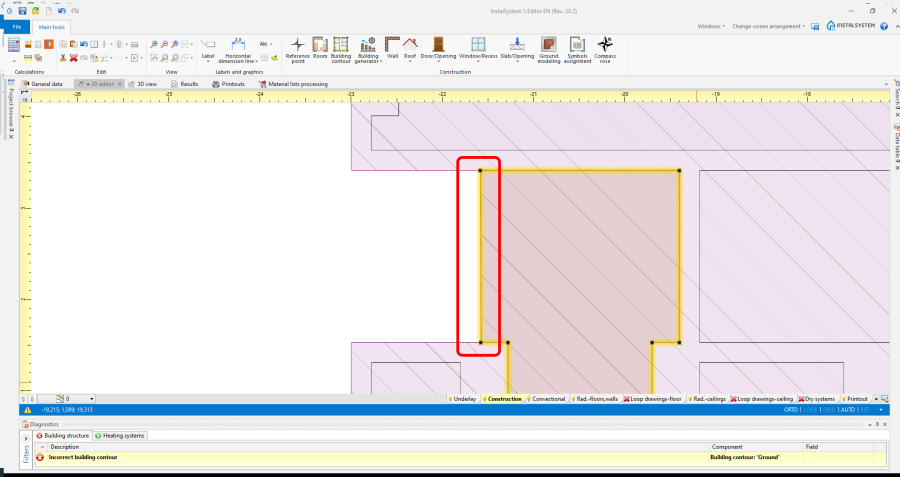
1. 建筑外轮廓 and 房间 touch each other with contours 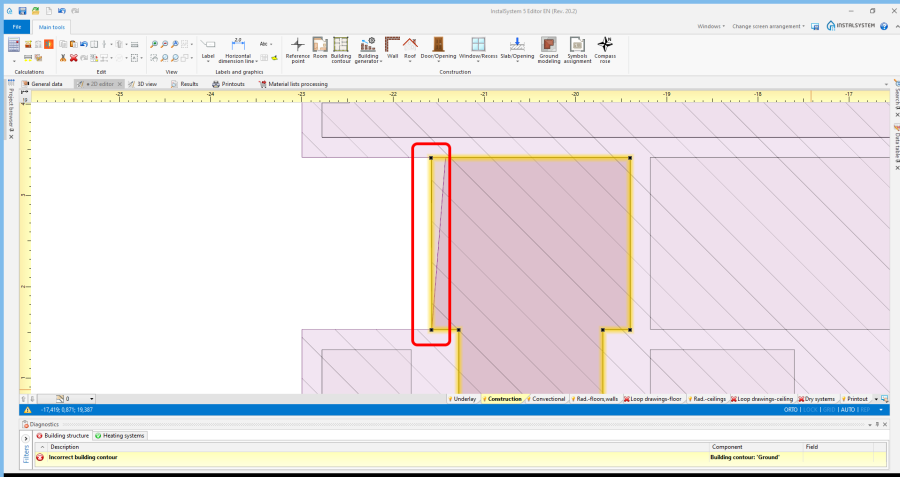
2. 建筑外轮廓 and 房间 overlap with contours 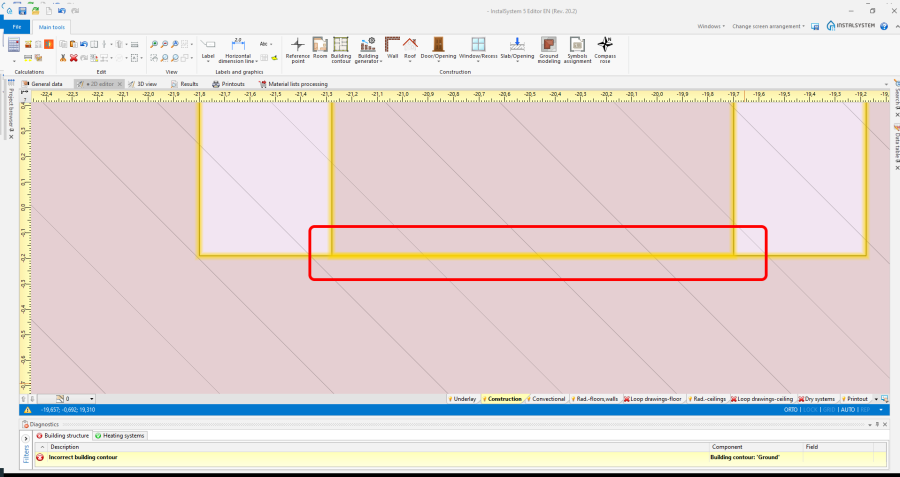
3. 房间 touch each other with contours 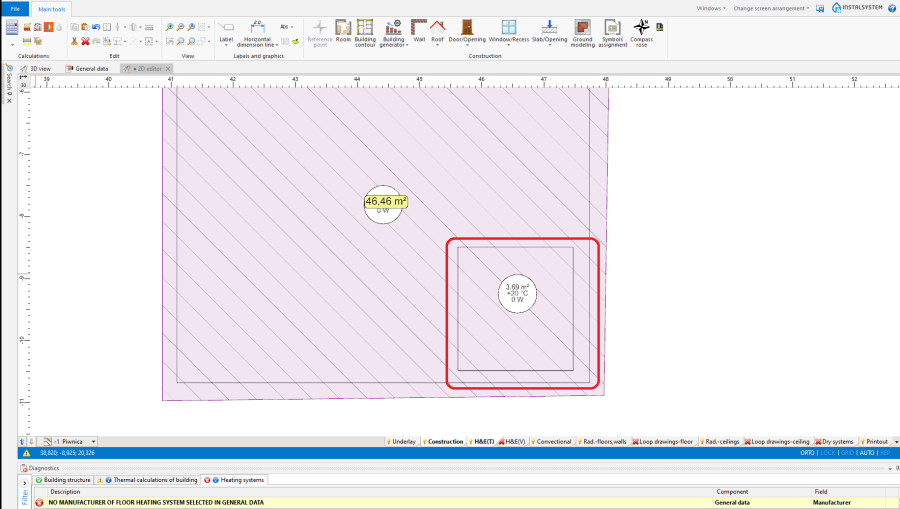
4. 房间 overlap with surfaces 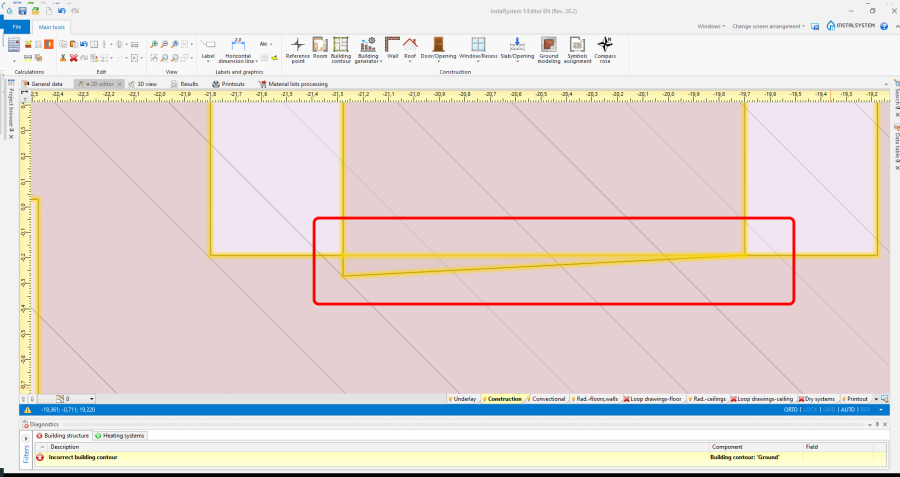
5. 房间 overlap with contours 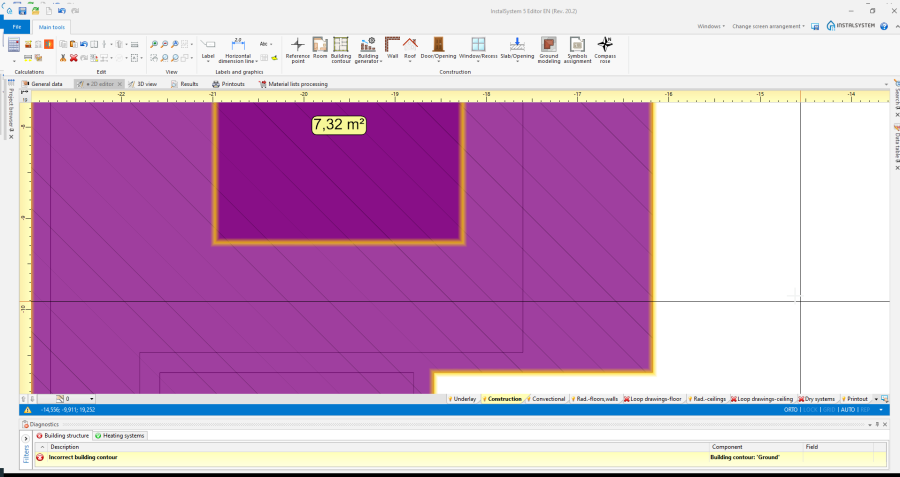
6. 建筑外轮廓 elements are placed one in the other 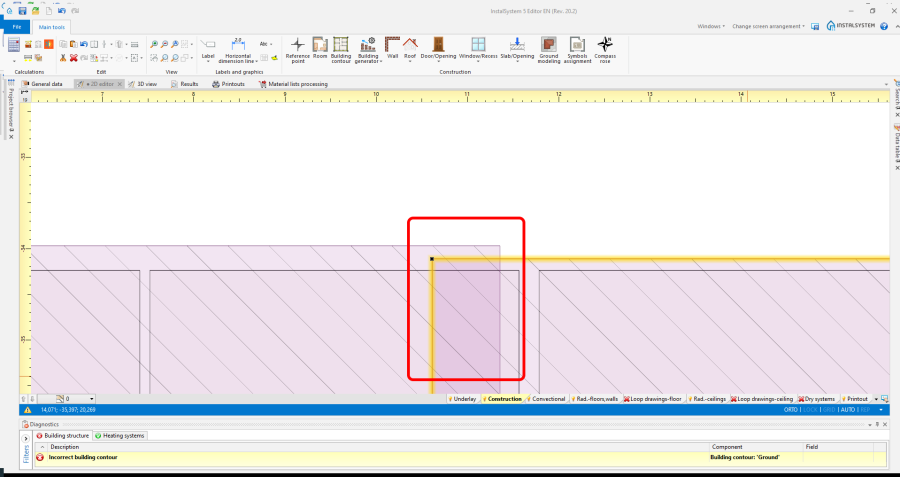
7. 建筑外轮廓 overlap with contours
| 产品 | InstalSystem 5 |
| 文章类型 | TIP&TRICK |
| 版本的最新内容 | 2021-04-30 |
问题描述
程序诊断出问题并给出以下信息:
建筑轮廓不正确.
该信息告知产生此问题的原因是:
- 建筑外轮廓 和房间 轮廓彼此接触,
- 建筑外轮廓 和房间 轮廓重叠,
- 房间 轮廓彼此接触,
- 房间 表面重叠,
- 房间 轮廓重叠,
- 建筑外轮廓 部件放在了其他部件上,
- 建筑外轮廓 轮廓重叠。
解决方法
- 更改建筑外轮廓 和\或房间' 以消除以下屏幕截图中显示的情况,


