使用项目中的目录和目录数据
说明
本文介绍了目录在项目的一般应用方面的使用方法以及目录数据在项目编辑的特定情况下的使用方法。 目录中除了包含技术参数外,还包含产品间的相互关系信息,它们将在对连接件、配件进行选择和计算的高级算法中以及在计算特定功能组中使用。在此基础上,除了计算结果和部件参数(如控制阀的初始设定值)外,程序还将生成完整的材料清单。 目录中所包含的产品、系统附图以及技术信息对设计过程也是一个补充。
在程序中的位置
选择项目使用的目录
- 目录位于一般参数 窗口中的目录 部分内。
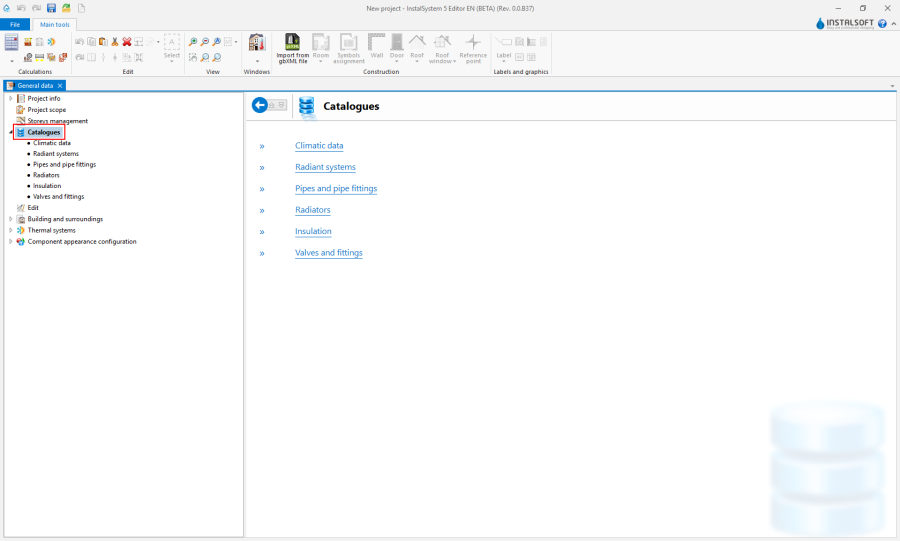
1. 选择项目使用的目录

将一个VDI目录添加到项目可用的目录清单中
- 将软件包中所带的目录添加到项目中可用的目录中的操作位于一般参数 窗口的目录 / 散热器 和阀门及配件 中。只有将其它目录中所选择的目录移动到右侧的项目中可用的目录中,所选择的软件包才能在项目中使用这些目录。
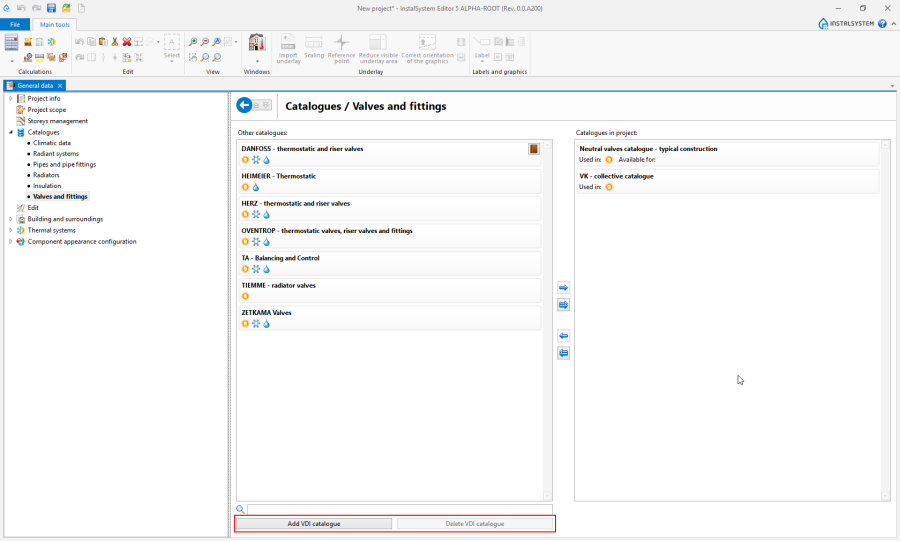
2. 添加VDI目录

Example of use
Selecting catalogues for the project from the list of available catalogues
When working on a project, at appropriate locations it will be possible to use only the products from catalogues selected for the project.
Catalogue application scope
Icons under the name of the catalogue in the window indicate the scope of project calculations where the catalogue can be used:
 - 供热系统计算,
 - 供冷系统计算.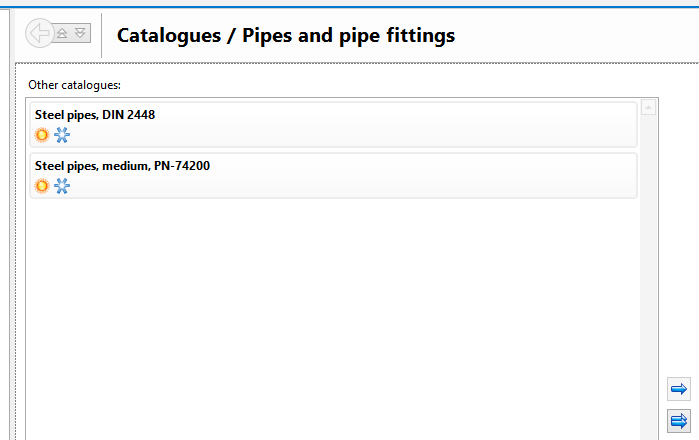
3. Catalogue application scope


Use and availability of catalogues
In the 项目可用的产品目录 window, under the catalogue name, there are icons grouped into two sections:
- 使用在: section - contains a list of icons of calculation scope where the catalogue was used. Catalogues that have been used in the project cannot be removed from the list of catalogues selected for the project.
- 可用于: section - contains a list of icons of calculation scope where the catalogue can be used.
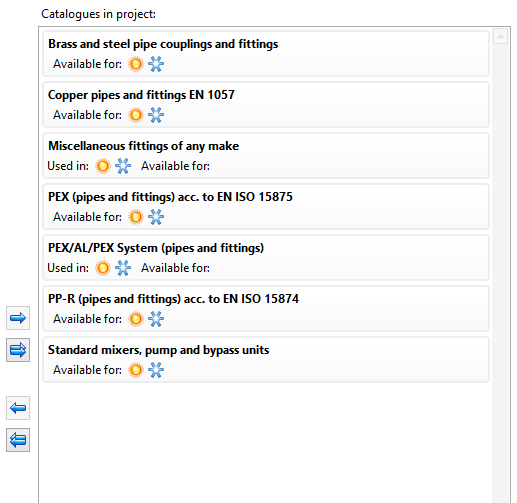
4. Use and availability of catalogues

Using catalogues when editing general (default) data
Using catalogues when editing component data
Editing catalogue data by the user
The user can create catalogues of construction materials and edit data therein. These catalogues are available for use in the current project and in other projects.
Use of catalogues in calculations and verification of results
其它信息
恢复管材和绝热材料设计的目录选项。
