部件外观和标签的设置
| 产品 | InstalSystem 5 |
| 文章类型 | FUNCTION AND TOOL |
| 版本的最新内容 | 2022-12-01 |
说明
部件外观和说明配置 部分中包含的功能允许为每个项目单独设置部件的外观(例如颜色或比例选择)和一些编辑参数。这样可以使图形的外观和工作流更好地适应正在进行的项目的特殊要求。
在程序中的位置
本功能在一般参数 窗口,部件外观和说明配置 选项卡。

应用举例
部件类型选项卡
该部件类型 选项卡提供了可插入到图形编辑器中的所有部件的列表,允许选择部件,编辑它们在2D编辑器 和在3D视图 中的外观。对于大多数部件,将显示两个窗口 - 一个定义部件的外观样式,另一个定义该部件标签的样式。但样式编辑和标签插入不适用于所有的部件。

在现有样式的范围内,可以:
- 修改:
- 线形、线色和线宽,
- 填充的颜色和透明度,
- 3D中的颜色和透明度;
- 更改名称;
- 创建部件的新样式;
- 复制
- 删除
- 在样式列表中重新排序;
- 恢复至当前模板中默认的样式 程序设置:
- 针对所有部件或所选部件,
- 分别地对于部件外观和标签外观;
- 将配置的样式保存为模板文件,更多信息,见: 软件配置
- 从一模板中导入省缺设置:
- 所有:所有部件的标签和样式,
- 仅针对所选的部件:部件的外观和标签的外观。
标签编辑
对于标签,除了基本的样式修改功能外,还有一个编辑标签 窗口,它可以:
- 指定标签的形状;
- 指定标签的省缺位置;
- 文本格式;
- 显示/隐藏标签与部件之间的连线,并配置线形。
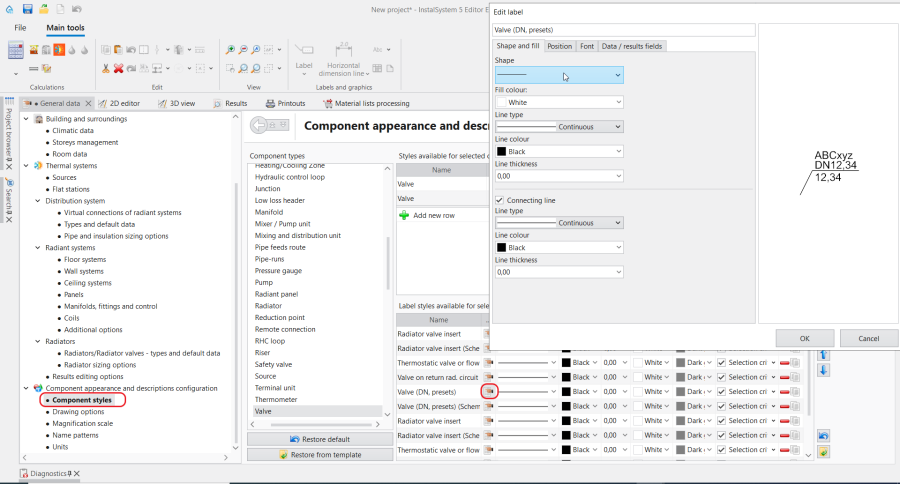
3. 编辑标签

样式选择基准
样式中,可以启用自动样式选择基准。在外观配置时,该基准将自动识别出符合该基准的部件,并自动将所设定的样式指定给该部件。如果一个部件设有多个基于基准所指定的样式,则程序将会自动将样式列表中第一个符合基准的样式指定给它。
在参数表中选择样式
可以在参数表 中编辑部件及其标签的外观,方法是单独或批量指定样式,或在部件类型 中从预定义的样式中选择样式:
- 在平面图或3D视图中选择了部件后,在其参数表 中的2D/3D视图样式 和标签 位置处进行选择:

4. 参数表-2D/3D视图样式 - 在示意图中选择了部件,在其参数表 中的视图风格 (示意图) 和标签(示意图) 位置处进行选择:
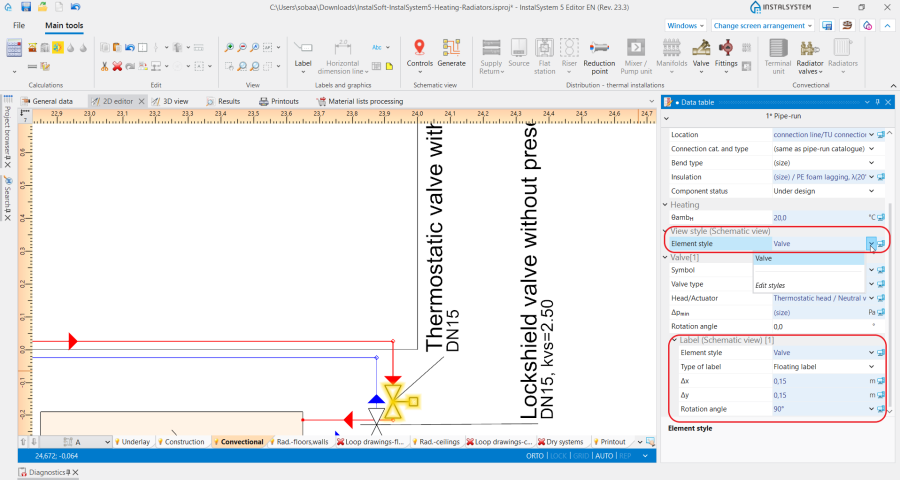
5. 参数表-标签(示意图)


出图选项 tab
Depending on the selected project scope, the tab enables:
- selecting a drawing standard from the list of standards;
- checking/unchecking additional options pertaining to the design drawing appearance and printout.
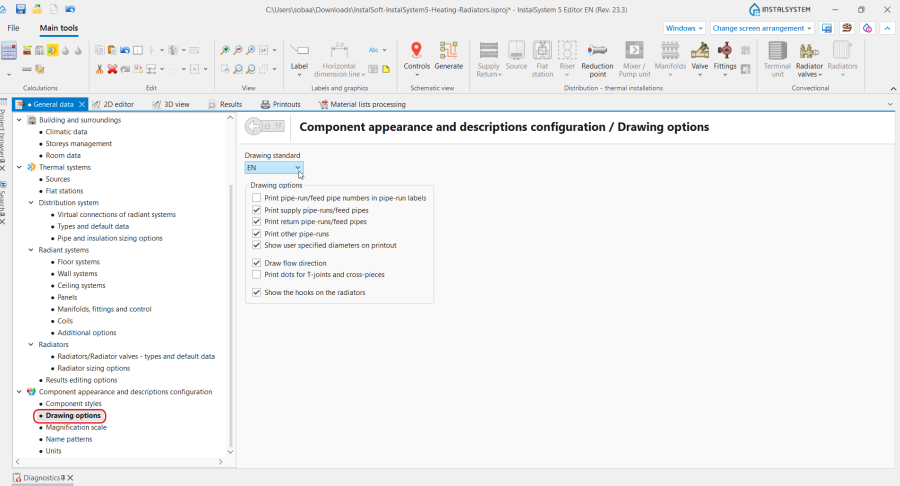
6. 出图选项

缩放比例 tab
This tab enables modifying the reference scale, changing the fittings drawing size and taking into account the diameter of the connections for each type of sheet separately.

名称样式 tab
This tab enables editing of the name patterns automatically assigned to selected components in the project.
The names are assigned automatically when the field in the 参数表 window of selected components includes the fields 符号, 名称 or other identifying field, in the  state.
Instructions for the name pattern defining is accessible upon clicking the
state.
Instructions for the name pattern defining is accessible upon clicking the  icon in each row.
The rows displayed depend on the settings made in the 项目范围 tab.

单位 tab
This tab, depending on the selected project scope, enables selecting:
- the set of symbols of selected quantities in thermal calculations;
- the unit shown for selected quantities in water supply systems.
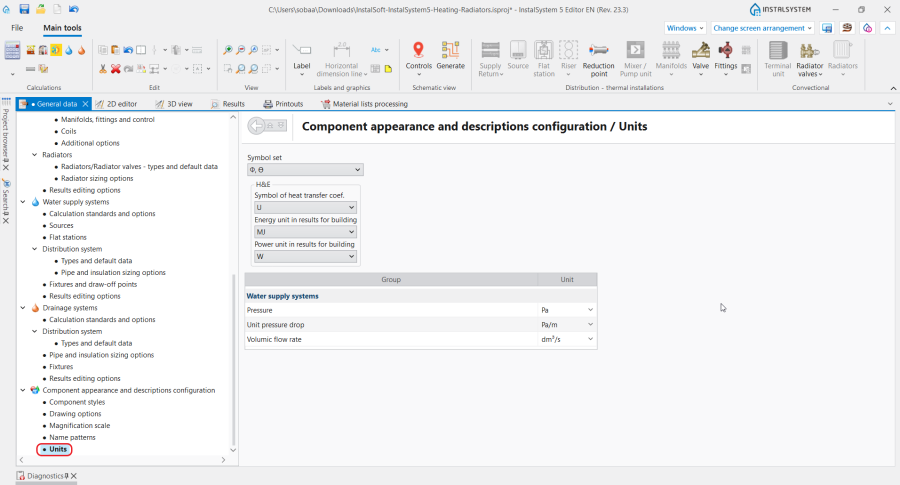
9. 单位

Additional information
Components with additional appearance editing features
- 房间 -地面变暗 ,吊顶变暗
- 门/窗等墙上部件 - 玻璃窗玻璃颜色和透明度的设置
- 盘卷配置 - 不同的回路颜色 ,引线管使用与盘管相同的颜色