项目和应用管理:修订间差异
跳转到导航
跳转到搜索
| 第1行: | 第1行: | ||
== | ==说明== | ||
本文介绍了借助于''InstalSystem Manager'' 管理项目的方法,还展示了如何根据用户需求在不同程序版本中打开和创建项目。 | 本文介绍了借助于''InstalSystem Manager'' 管理项目的方法,还展示了如何根据用户需求在不同程序版本中打开和创建项目。 | ||
2017年2月5日 (日) 07:34的版本
说明
本文介绍了借助于InstalSystem Manager 管理项目的方法,还展示了如何根据用户需求在不同程序版本中打开和创建项目。
Location in the program
Creating new projects and openining existing projects
- Create new project/Open existing project is accessible in the InstalSystem 5 Manager window:
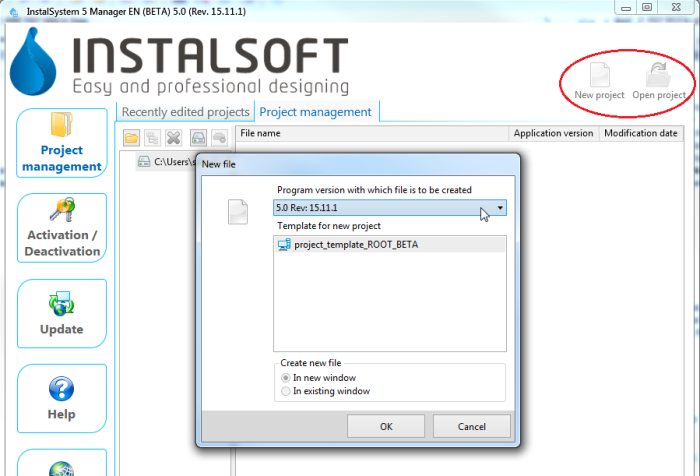
1. New project/open project in InstalSystem 5 Manager and in InstalSystem 5 Editor:
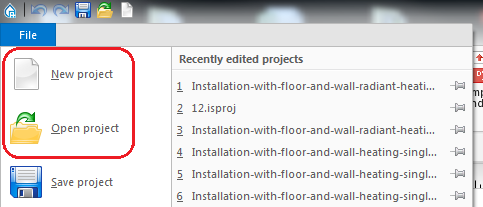
2. New project/open project in InstalSystem 5 Editor


Managing project files and additional files
- List of recently edited projects is accessible in the InstalSystem 5 Manager window:
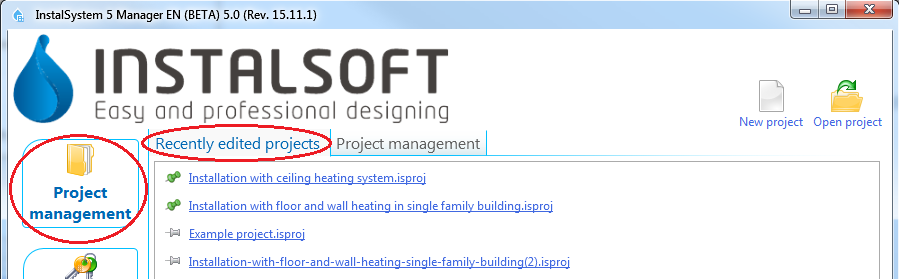
3. Recently edited projects in InstalSystem 5 Manager
and in InstalSystem 5 Editor.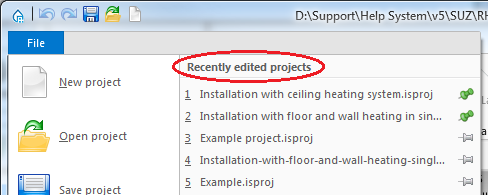
4. Recently edited projects in InstalSystem 5 Editor - Project management is accessible in the Project Management tab in the InstalSystem Manager 5 window:
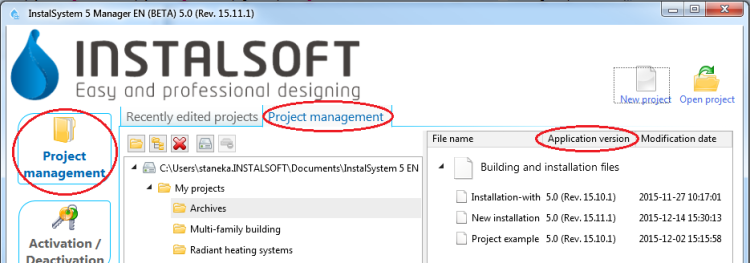
5. Project management in InstalSystem 5 Manager


Examples of use
Creating new projects and openining existing projects
- New project - when creating a new project it is possible to indicate one of the downloaded subversions of the program. The most recent subversion is indicated by default. When a new file is created, a template can be selected for use in the project.
更多信息,见: Template files. - Existing file - when opening an existing project file, a program subversion can be selected to be used for further file processing. This enables carrying on the project using the program version with which the project was created.
The InstalSystem 5 package also enables loading files created with InstalSystem 4.
Managing project files and additional files
- Recently edited projects - this list is created automatically, it facilitates access to recently edited files, irrespective of their location.
Selected projects can be placed at the top of the list irrespective of the date of the most recent processing. This is done with the use of a tack - clicking the pin beside the selected project makes it stay on the top of the list
  .
. - Project management - When installing the program, default location for projects can be selected. It is recommended that each project (object being designed) has a dedicated subfolder where the various InstalSystem project versions (files with .isproj extension) and other additional files, e.g. base drawings used, will be stored. Another advantage is that the package version with which the file was developed is displayed for .isproj files.

